
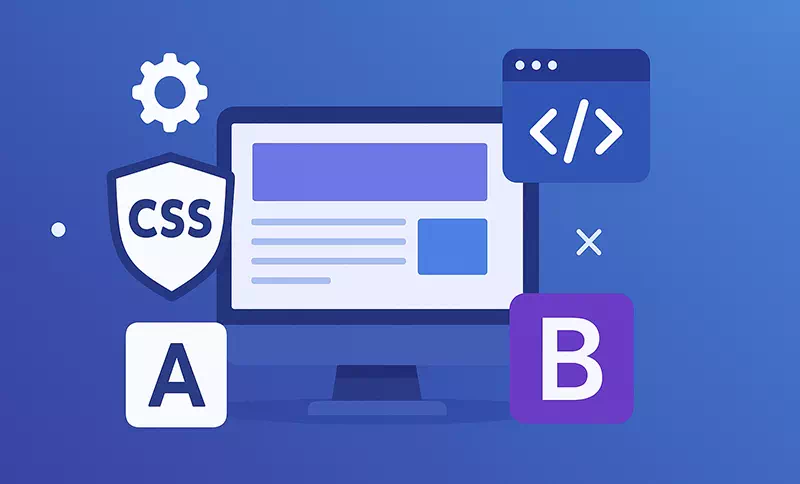
Let’s be honest: who actually enjoys spending a week trying to perfectly center a div and then finding it’s broken on Safari for iOS? Building a site from pure, scratch-written CSS is a rite of passage, but it’s a massive time sink.
That “cross-browser nightmare” isn’t just a phrase; it’s the reason for many late-night, caffeine-fueled debugging sessions. This is exactly where CSS frameworks come in to save the day (and our sanity).
What are CSS Frameworks, Really?
Think of it this way: building a website from scratch is like trying to build a house by chopping down the trees and milling the lumber yourself. A CSS framework is like walking into a hardware store.
All the pre-cut lumber, screws, fixtures, and tools are keeping on the shelves, ready for you to assemble. You are still build the house, but not starting from the forest.
These toolkits are very common in doing the stuff like setting colors, layouts, fonts, navbars, and a lot more. Rather than writing all those CSS codes by yourself, you just take the framework’s pre-built classes in your HTML. Want a footer or a column-based grid? The framework already has a class for that.
Advantages of Using a Best CSS Framework
For me, the benefits aren’t just “nice to have” they’re project-savers.
- It’s About Speed (and Sanity): This is the big one. I can prototype a full, complex layout in an afternoon, not a week.
- Stop Reinventing the Wheel: Why should I write another responsive grid or modal popup? A framework has one that’s been battle-tested by thousands of developers.
- Browser Headaches, Solved (Mostly): And the best part? The people who built the framework have already gone through the hard and tedious process of making a component visually identical in Chrome, Firefox, and Safari for you. Just that is amazing beyond words.
- Easier Onboarding: When a new developer joins my team, if I say “we’re using Bootstrap,” they instantly know the grid system and component names. It creates a common language.
Bonus: Effortlessly convert Rem to Px and Px to Rem for responsive web design with our free tools.

Here is Top 7 CSS Frameworks for Website Developers in 2025
Here’s my personal take on the top 7 css frameworks I see developers using and talking about right now.
1. Bootstrap
Bootstrap may be compared to the Toyota Camry of CSS frameworks. Although it is not the most flashy or the newest, it is very reliable, everyone is familiar with how to use it, and it will keep running smoothly for a long time.
It was the first framework for me, and it’s likely the place where all of us did our first responsive coding. That 12-column grid system? It was a total game changer. There are a lot of components (modals, navbars, cards) and JavaScript plugins in it, so it’s really a complete solution.
Why Choose Bootstrap?
- Massive Ecosystem: You will never be stuck. There’s a theme, a tutorial, or a forum post for every problem imaginable.
- Accelerated Prototyping: If I need to build an admin dashboard or a functional prototype by tomorrow, I’m reaching for Bootstrap.
- Strong Backing: It’s used by millions of sites and has a huge team behind it. It’s not going anywhere.
- Supports SASS and LESS: Very easy to customize if you know your way around a preprocessor.
Example:
HTML
<link href=”https://cdn.jsdelivr.net/npm/bootstrap@5.3.0/dist/css/bootstrap.min.css” rel=”stylesheet”>
<div class=”container”>
<h2 class=”pt-3″>Bootstrap Example</h2>
<p>This container has padding and is responsive.</p>
</div>
2. Tailwind CSS
Okay, Tailwind is polarizing, and I get it. Your HTML can look “messy” with all those utility classes. But here’s my take: I love it for custom designs.
Tailwind is a “utility-first” framework. It doesn’t give you pre-built components like .card or .button. Instead, it gives you tiny building blocks like .text-xl, .bg-gray-100, and .md:flex. You combine them to build your own components.
Why Choose Tailwind CSS?
- Highly Customizable: You are never “fighting” the framework’s default styles (I’m looking at you, Bootstrap buttons). Your site won’t look like every other “Bootstrap site.”
- In-HTML Styling: I love that I can build and style a component without ever leaving my HTML file.
- Optimized with PurgeCSS: It automatically scans your files and removes all unused CSS classes, resulting in a production file that is impossibly small.
- Mobile-First Responsive Design: The responsive modifiers (like md:text-left) are, in my opinion, the most intuitive way to build responsive layouts.
Example:
HTML
<script src=”https://cdn.tailwindcss.com”></script>
<div class=”max-w-md mx-auto p-4 bg-gray-100 shadow-md”>
<h2 class=”text-xl font-bold”>Tailwind CSS Example</h2>
<p class=”text-gray-700″>This container is responsive and styled.</p>
</div>
3. Foundation
Foundation is the other “heavyweight” champion alongside Bootstrap. To be honest, I don’t reach for Foundation for my personal blogs.
This is the toolkit I’d pick for a large-scale, enterprise-level web application. It’s built to be more flexible and less opinionated than Bootstrap. It feels more “engineered,” with a strong focus on accessibility and a more robust grid.
Why Choose Foundation?
- Massive Toolkit: It’s more than CSS. It has a command-line interface, a separate framework for emails, and tons of advanced features.
- Greater Flexibility: It’s built to give you total control. It’s a true “foundation” for you to build on, not a set of pre-made pieces.
- UI Components and Beyond: It includes things like a responsive image system, form validation, and right-to-left support, which are crucial for complex apps.
- Training Options: The parent company, ZURB, offers professional training, which is a big plus for corporate teams.
Example:
HTML
<link rel=”stylesheet” href=”https://cdn.jsdelivr.net/npm/foundation-sites@6.7.5/dist/css/foundation.min.css”>
<div class=”grid-container”>
<h2>Foundation Example</h2>
<p>This container is responsive using Foundation.</p>
</div>
4. Bulma
What I’ve always loved about Bulma is its “just right” feeling. It’s not as massive as Bootstrap, but it’s more complete than a micro-framework. It’s based entirely on Flexbox, which makes creating complex, modern layouts a breeze.
My favorite feature? It’s CSS-only. I can drop in my own JavaScript (like Vue or React) and not worry about jQuery conflicts or unwanted JS behavior.
Why Choose Bulma?
- Easy to Learn: The class names are incredibly readable and semantic (e.g., .is-primary, .is-vcentered). I picked it up in an afternoon.
- Modular: You can import only the pieces you need (like just the grid and the buttons).
- Browser-Agnostic: Built to work well across all major browsers.
- No JavaScript: This is a pro for me. It gives you the style and lets you handle the logic.
Example:
HTML
<link rel=”stylesheet” href=”https://cdn.jsdelivr.net/npm/bulma@0.9.4/css/bulma.min.css”>
<div class=”container”>
<section class=”section”>
<h2 class=”title”>Bulma Example</h2>
<p>This container is responsive using Bulma.</p>
</section>
</div>
5. Skeleton
I use Skeleton for one-off landing pages or when I’m spinning up a quick prototype and don’t want any styling opinions forced on me.
It’s not really a framework; it’s a “boilerplate.” The entire source code is only about 400 lines long! It gives you a responsive 12-column grid and basic styles for typography and forms, and then gets out of your way.
Why Choose Skeleton?
- Lightweight: It’s so light, you’ll forget it’s even there. Your site will load instantly.
- Mobile-First: It was built from the ground up for mobile.
- Perfect for Small Projects: It’s the perfect antidote to framework bloat when you just need the basics.
- Easy to Learn: You can read the entire source code in 10 minutes.
Example:
HTML
<link rel=”stylesheet” href=”https://cdnjs.cloudflare.com/ajax/libs/skeleton/2.0.4/skeleton.min.css”>
<div class=”container”>
<h2>Skeleton Example</h2>
<p>This container is responsive using Skeleton.</p>
</div>
6. UIkit
UIkit is a bit of a hidden gem, in my opinion. It’s lightweight and modular, but it comes packed with some really slick, advanced components that would take ages to build myself (like sortable grids, parallax effects, and an “off-canvas” menu).
It feels very modern and polished right out of the box. I’d choose this if I wanted a site to look custom and elegant without the complexity of Tailwind or the “sameness” of Bootstrap.
Why Choose UIkit?
- Modular Architecture: Only load the components you need.
- Customization-friendly: Easy to theme with LESS and SASS.
- Advanced Components: It has a great library of components that go beyond the basics.
- Focus on Performance: It’s designed to be fast and efficient.
Example:
HTML
<link rel=”stylesheet” href=”https://cdn.jsdelivr.net/npm/uikit@3.16.3/dist/css/uikit.min.css”>
<script src=”https://cdn.jsdelivr.net/npm/uikit@3.16.3/dist/js/uikit.min.js”></script>
<div class=”uk-container”>
<h2>UIkit Example</h2>
<p>This container is responsive using UIkit.</p>
</div>
7. Milligram
If Skeleton is minimalist, Milligram is even more so. It’s incredibly tiny (only 2kb gzipped!), which is smaller than most images.
Like Skeleton, this is for the minimalists. I’d use this if I’m building a simple blog or a documentation site where I just want my typography and forms to look good without any fuss. It provides a clean, elegant starting point.
Why Choose Milligram?
- Lean and Fast: One of the fastest frameworks available.
- Focus on Essentials: No bloat. Just the absolute basics, done well.
- Flexibility: It’s highly unopinionated, so it’s easy to add your own styles on top.
- Great for Small Projects: Ideal for when you just need a little help.
Example:
HTML
<link rel=”stylesheet” href=”https://cdnjs.cloudflare.com/ajax/libs/milligram/1.4.1/milligram.min.css”>
<div class=”container”>
<h2>Milligram Example</h2>
<p>This container is responsive using Milligram.</p>
</div>

How to Choose the Right CSS Framework?
So, how do you pick? Honestly, it’s about the project and your personal style. Here’s the mental checklist I run through:
- Project Size? Is this a 50-page corporate site (I’d lean Bootstrap/Foundation) or a single-page portfolio (Skeleton/Milligram)?
- How Custom? Do I need a 100% unique, custom-branded design? If so, Tailwind is my first choice, as I’m not fighting default styles.
- How Fast? Do I need to build a functional prototype by tomorrow? Bootstrap. Its pre-built component library is just too fast to beat.
- What’s the Team’s Skill? Is everyone a senior dev (Tailwind)? Or do we have junior devs who need the safety rails of pre-built components (Bootstrap, Bulma)?
What About Cross-Browser Compatibility?
Let me be clear: even with a framework, you are not safe. I once spent a whole day debugging why a “simple” flexbox layout was completely broken on an older iPad. The framework gave me the tools, but my specific implementation of it created the bug.
While frameworks like Bootstrap and Foundation are built to handle 90% of these issues, you still have to test.
Best Practices for Ensuring Compatibility:
- Test, Test, Test: Regularly check your site on different browsers and devices.
- Progressive Enhancement: Build a simple, HTML-only version first. Then add the framework styles. This ensures your site is at least usable on very old browsers.
- Polyfills: Use these small scripts to “teach” older browsers how to use modern features.
There is no substitute for real-world testing.
Compatibility of Different CSS Features
It’s also good to know which native CSS features are safe to use. Here are two big ones:
CSS Grid
This feature is a game-changer for layout. It’s compatible with all major modern browsers. The only headache is Internet Explorer, which has a partial, older implementation. But in 2025, for most projects, you can use CSS Grid with confidence.
CSS Nesting
This is one of my favorite new features! It lets you nest CSS rules inside each other, just like in SASS. It’s now supported in modern versions of Chrome, Firefox, and Safari. Just be careful, as it’s still new, and you’ll need to check if you have to support browsers from a year or two ago.
So, Which Best CSS Framework is for You?
At the end of the day, a framework is just a tool. It’s a fantastic, time-saving tool, but it doesn’t replace good development practices. The “best” framework is the one that gets you from idea to a high-quality, working product the fastest.
And I’ll say it one last time because it’s the most important takeaway: test your site.
Don’t just resize your Chrome window and call it “responsive.” Test it on a real phone. Test it on a friend’s tablet. Use a real device cloud service to see it on dozens of combinations. Your users aren’t using a simulator, and that one tiny CSS bug you missed could be costing you customers.