
Building a website nowadays is totally different compared to how things were five years ago. Fortunately, nowadays, you don’t need to be a coder anymore, spend a fortune, or endure a long wait before your site goes live. 2026 tools might even let you open your website in one single day sometimes even in just one afternoon.
Anyway, here’s the catch: there are so many website builders, page builders, and even AI tools that the process of choosing the right one can be tiresome. Which one is really fast? Which one is also working for ecommerce? Which one will not make your site slow? And above all, which ones are free or low-priced?
In this guide, I will explain everything to you in a simple way, honestly and without unnecessary terms. So, whether you’re a small business owner, a freelancer, or someone making their very first website, this guide is for you.
Quick fact: Over 43% of all websites on the internet are built on WordPress — and that number keeps growing every year. Choosing the right tools for WordPress can make the difference between a slow, forgettable site and one that ranks on Google and converts visitors into customers.
What Is a Website Builder — And Do You Even Need One?
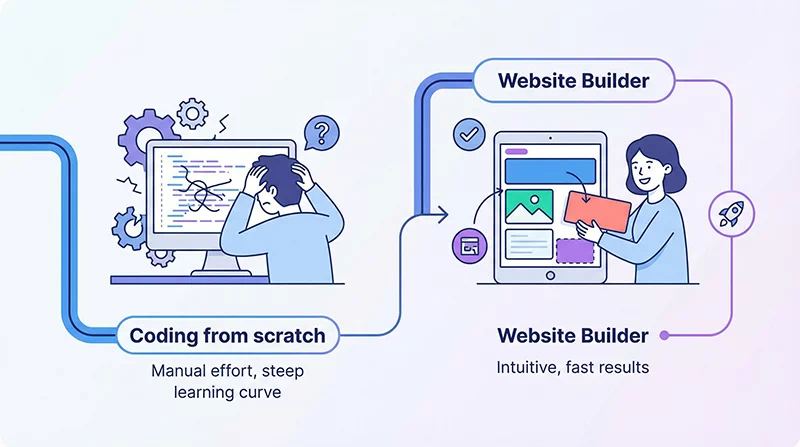
A website builder is a flexible tool that allows you to create a website without writing code. Usually, you select a template, arrange the sections on the page, add your content and images, and then click to publish your website.
However, there are two primary categories that you’ll see:
- Hosted builders such as Wix or Squarespace, where literally everything (hosting, updating, security) is taken care of for you. Perfect for novices although they come with limitations in terms of flexibility.
- WordPress page builders plugins that operate on top of WordPress and allow you to manage your website entirely without the need to code a single line. These are significantly more advantageous for businesses looking to expand.
In case you’re willing to invest in SEO, website speed, or even the expansion of your website over time, a WordPress combined with a solid page builder is generally the superior option.
Key takeaway: If you’re building a blog, portfolio, or business site that you want to grow — start with WordPress. It gives you the most control, the best SEO tools, and the largest community of support.
Best WordPress Page Builders in 2026
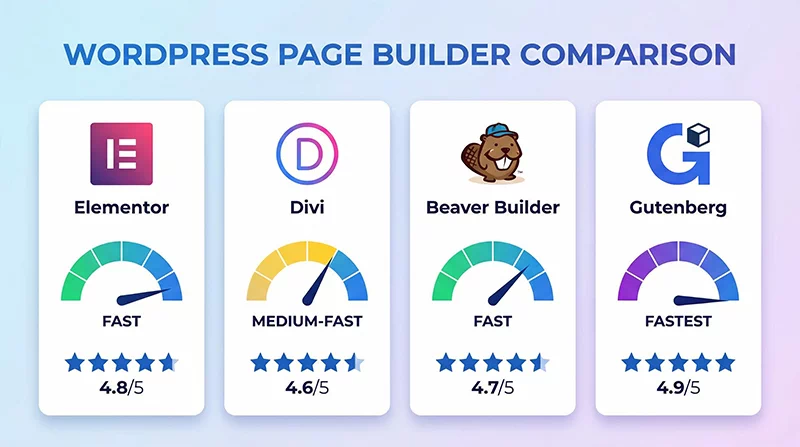
When people search on their browser for the best WordPress page builder, they usually get the same list of names. But which one is actually right fit for your project? Let me be honest with you about each one.
1. Elementor — The Most Popular Choice
Elementor is the most powerfull page builder for creating website’s page. It is easy for a beginner to use, offers hundreds of pre-designed templates, and has a very large user base.Creating stunning web pages with the drag-and-drop feature to position the elements is very straightforward with this tool.
- Very easy to use — even for complete beginners
- Huge library of templates (both free and premium)
- Works well for portfolios, business sites, and landing pages
- The free version is good — the Pro version is even better
One downside? Elementor can slow your site if not optimized. Make sure you’re using a lightweight theme like Astra or Hello Elementor with it.
2. Gutenberg — The Fastest WordPress Page Builder (Built-in & Free)
First of all, Gutenberg is a worthy candidate if you decide that speed is a priority (and you should, if SEO is your concern). Actually, it is the default editor of WordPress, and over the years, the 2026 version has seen tremendous enhancement. Quite a few developers now rate it as the fastest WordPress page builder as it generates clean, lightweight code without any bloat.
- Totally free, no premium version required
- Generates the cleanest and lightest code
- Ideal for Core Web Vitals performance
- Especially suitable for blogs and content-heavy websites
Gutenberg’s only disadvantage is that it’s not very intuitive and requires some study time. It isn’t as graphical as Elementor right from the get-go. However, after some training, it turns out to be very good.
3. Divi — Best for Design-Heavy Projects
Divi from Elegant Themes is loved by designers. It has a true visual editor where you see exactly what you’re building — no switching between preview and edit mode. It also comes with hundreds of website packs (complete sets of pages, not just templates).
- Beautiful design flexibility
- It comes with a built-in A/B testing tool
- One-time purchase option (lifetime deal)
- Can be heavier than Elementor — needs good hosting
4. Beaver Builder — Most Reliable for Agencies
Beaver Builder is the top pick for most professional web developers and agencies. Although it doesn’t have the sparkling features of Elementor or Divi, it is reliable, quick, and generates very clean code. If your work involves making websites for clients, then you shouldn’t miss out on checking out Beaver Builder.
| Builder | Best For | Speed | Free Version | Price/Year |
|---|---|---|---|---|
| Elementor | Beginners & businesses | Medium | ✓ Yes | From $59 |
| Gutenberg | Speed & SEO focus | Fastest | ✓ Free | $0 |
| Divi | Design-heavy projects | Medium | ✗ No | $89/yr or $249 lifetime |
| Beaver Builder | Agencies & developers | Fast | ✓ Lite | From $99 |
Pro tip: If you are completely new, choose Elementor (free version). But if speed and SEO scores are your top priorities, then pick Gutenberg. Only go with Beaver Builder if you are running an agency or frequently developing client websites.
Best Free AI Tools for Website Design in 2026

That is the point where this matter turns to be genuinely fascinating.
In 2026 Artificial intelligence is not only a tool that enabled designers to accelerate their work but also a large system designed to enable the most creative people to create professional websites from scratch. And the greatest part? Many of these instruments are absolutely free.
Here are the best free AI tools for website design you should know about:
1. Framer AI — Generate a Full Website From a Prompt
Type a short description of your business, and Framer AI generates a complete, professional website in seconds. It uses an advanced script to pick the layout, chooses the fonts, writes placeholder content, and even picks a colour palette that fits your industry. It’s genuinely impressive.
- Generate full websites from a single sentence prompt
- Free plan available (with Framer branding)
- Responsive on all devices out of the box
- Best for portfolio sites and landing pages
2. Canva Website Builder — Design Meets Simplicity
Most people associate Canva with creating graphics; however, Canva has recently launched a complete website builder. Thousands of ready-to-use templates await you to make a beautiful website with Canva. You are not limited to that because you can use their AI to propose layouts, resize content automatically, and even pick color schemes based on your logo. It’s top free AI tool for website design, especially if you are already familiar with Canva’s interface.
- 100% free with a Canva account
- Familiar drag-and-drop interface
- Hundreds of AI-powered templates
- Best for simple business sites and portfolios
3. Wix ADI — AI That Builds and Asks Questions
Wix’s Artificial Design Intelligence (ADI) asks you a few questions about your business and builds a complete website in minutes. It’s ideal if you want something working fast without making decisions about every design element.
4. Relume AI — For WordPress and Webflow Users
Relume is a newer AI tool that generates entire site maps and wireframes from a description. Designers and WordPress developers use it to plan sites before building them — saving hours of work. If you work with clients, this is a game-changer.
Important: AI tools are great for getting started and generating ideas — but they work best when a human reviews and customises the output. Think of AI as your smart assistant, not a complete replacement for good design judgment.
Best Ecommerce Website Builders — Which One Should You Use?
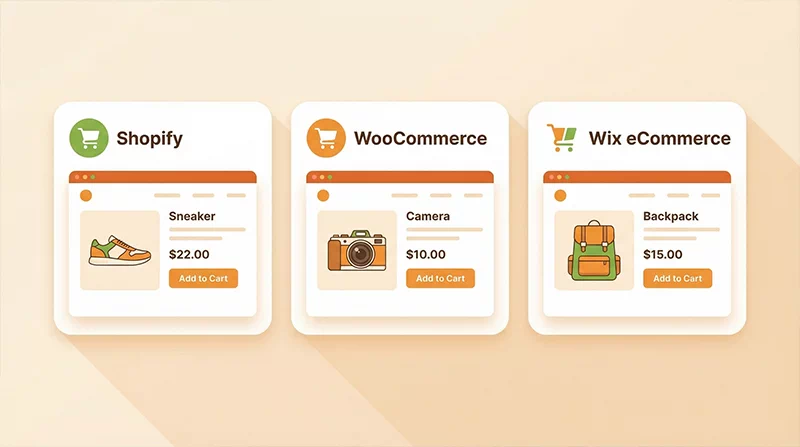
If you’re building an online store, your needs are different from someone building a blog or portfolio. When you started an online store and don’t know how to manage your store payments, product listings, shipping, and inventory. The best ecommerce website builder features handle payments, product listings, shipping, and inventory — without becoming a nightmare to manage.
Here’s what actually matters when choosing the best e-commerce website builder for your store:
- Product Management: Add and update products with flexibility and save time
- Payment gateway support — Does it support Razorpay, Stripe, PayPal, and UPI?
- Mobile shopping experience — Over 70% of online purchases happen on mobile in 2026
- SEO features — Can Google find and rank your products?
- Cost — What are the monthly fees, transaction fees, and plugin costs?
Shopify — The King of Ecommerce
Shopify is the go-to platform for serious ecommerce businesses. It’s built purely for selling — every feature, every update, every tool is designed with online stores in mind. It handles everything from payments to inventory to shipping labels automatically.
- Extremely easy to set up a store — even without technical knowledge
- Over 6,000 apps in the Shopify app store
- Built-in abandoned cart recovery
- Starts at around $29/month — transaction fees apply if not using Shopify Payments
WooCommerce — Best Website Builder for Ecommerce on WordPress
If your website is already running on WordPress (or planning to), WooCommerce is the most powerful option. It’s open-source software, free to install, and gives you full control over your online store. It’s widely considered the best website builder for ecommerce when you need flexibility and SEO control.
- Free plugin — you only pay for hosting and premium extensions
- Full SEO control — great for ranking product pages on Google
- Supports virtually any payment gateway
- Scales from 10 products to 10,000+ products
The downside? It requires a bit more setup and maintenance than Shopify. But for long-term flexibility — especially in India where localisation matters — WooCommerce gives you the most options.
Quick decision guide: Just want to start selling fast with minimal setup → go with Shopify. Want full control, better SEO, and long-term flexibility → go with WooCommerce on WordPress.
Should You Build Website Yourself — Or Hire a Professional?

This is the honest question most guides skip. Should you actually build your own website — or would you be better off hiring someone?
Here’s a simple way to think about it:
- Build it yourself if: you have time to learn, your budget is under ₹5,000, your website is simple (portfolio, blog, single service), and you enjoy the process
- Hire a professional if: your time is valuable, you need custom features, you’re running an ecommerce store, or you want the site done right the first time
The good news is that in India, you don’t have to choose between quality and budget. There are many companies offering affordable web development services in India that can build a fast, professional, SEO-ready website at a fraction of what it would cost in the US or UK.
A professionally built WordPress website with proper SEO setup, caching, and speed optimisation will always outperform a DIY site in search rankings over time. If your website is meant to generate leads or sales — treat it as an investment, not a cost.

Need a Professional Website Without Breaking Your Budget?
Our team at WebNet Innovation builds fast, SEO-ready websites on WordPress — designed to rank on Google and convert visitors into customers. Affordable pricing, transparent process.
How to Choose the Right Tool? A Simple Decision Framework
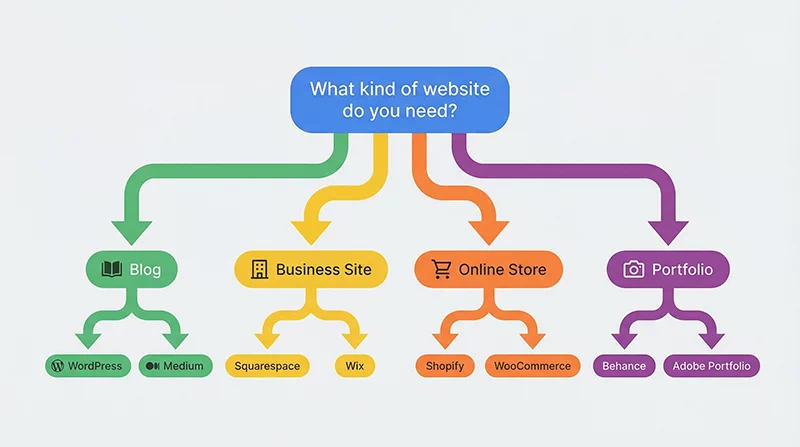
By now, you’ve seen a lot of options. So how do you actually pick? Here’s a simple framework:
- Building a blog? → WordPress + Gutenberg (free, fast, SEO-ready)
- Building a business website? → WordPress + Elementor or Beaver Builder
- Building an online store? → WooCommerce for flexibility, or Shopify for speed of setup
- Just need something up fast? → Framer AI or Canva Website Builder
- Need a design tool? → Canva for graphics, Relume AI for wireframing, Figma for full designs
- Don’t have time? → Hire a professional — it saves you more time and money in the long run
Remember: The best tool isn’t the most popular one — it’s the one that fits your specific goal, your budget, and your level of technical comfort. Start simple. You can always upgrade later.
Final Thoughts — Start With the Right Foundation
The tools available in 2026 make it easier than ever to build a great website. Whether you use a page builder like Elementor, a free AI tool like Canva or Framer, or a platform like WooCommerce for your online store — you have more power at your fingertips than web developers had ten years ago.
But tools are only as good as the strategy behind them. A beautiful website that loads slowly, isn’t optimised for search engines, or isn’t designed with your customer in mind won’t get you the results you want.
So here’s my advice: pick one tool from this guide, start building, and don’t wait for perfect. Launch something, learn from it, and improve it over time. That’s how every successful website starts.
If you’d rather have an expert take care of it — our team is here. We offer some of the most affordable web development services in India, with a focus on speed, SEO, and design that actually converts.
Have a question about which builder is right for your project? Click Here to Contact Us!