
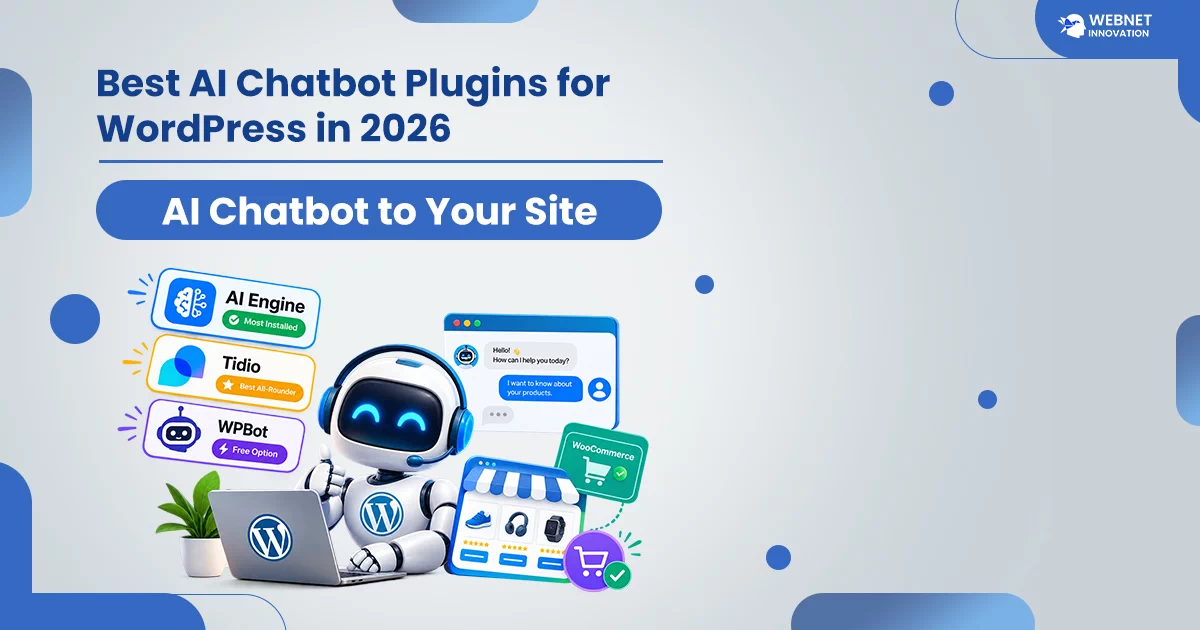
The best AI chatbot plugins for WordPress in 2026 are AI Engine (most installed, bring-your-own API key), Tidio (best all-rounder, its Lyro AI resolves about 67% of conversations on its own), and WPBot (cheapest genuinely free option with real site-trained answers). Store owners should look specifically at WooCommerce-native options like StoreAgent Chat, which reads your live product catalog without needing any API key setup.
Table of Contents
Every few months a client asks me the same question: “should I add a chatbot to my website?” And every time, the honest answer depends less on whether AI chatbots work — they clearly do now — and more on which one actually fits how your site runs.
I went through the current options properly this time instead of just recommending whatever’s popular, because the pricing models genuinely differ in ways that matter.
How to Add an AI Chatbot to Your WordPress Site?
Before comparing plugins, it helps to know there are really two different approaches:
Plugins that run inside WordPress (like AI Engine or WPBot) give you full control over your data, but you manage your own AI model connection — usually an OpenAI API key — and pay that provider separately based on usage.
Hosted AI chat services (like Tidio) run on their own servers. You install a lightweight WordPress plugin that connects to their platform, and they handle the AI, hosting, and billing in one monthly plan.
Neither approach is “better” universally — it depends on whether you want to manage technical pieces yourself for lower cost, or pay more for something that works without touching an API key.
Best AI Chatbot for WordPress Overall: AI Engine
AI Engine is the most widely adopted WordPress chatbot plugin right now, with well over 100,000 active installs. It’s free to start, with a Pro version running roughly $59 to $79 a year, plus whatever your chosen AI model costs you to run.
The tradeoff is clear: you bring your own OpenAI (or similar) API key, which means you control costs and data, but you’re also the one managing that connection. If you’re comfortable with a bit of technical setup, this gives you the most control for the least ongoing cost.
Best All-Rounder: Tidio
Tidio takes the opposite approach — everything hosted, nothing to configure technically. Its AI agent, called Lyro, genuinely resolves around two-thirds of support conversations on its own, which is a meaningful number if customer questions are repetitive.
Pricing here is worth understanding clearly, because it’s layered: a free plan typically includes a limited number of AI conversations to start, and paid plans begin around $24 to $29 a month, with the Lyro AI add-on often priced separately starting near $32 to $39 a month on top of that. It adds up faster than the free plan suggests, but for a business that wants live chat and AI bundled with zero technical setup, it’s a genuinely strong all-rounder.
Best Free Option: WPBot
If recurring monthly fees are the problem, WPBot is worth a serious look. It’s a free plugin directly from the WordPress Plugin Directory, and unlike some “free” chatbots that are just rule-based scripts, its paid tier (around $39 a year, or a one-time lifetime option near $149) trains genuinely on your own site content.
The free version alone is rule-based unless you connect your own OpenAI API key — so it’s a good pick if you’re comfortable with that one extra setup step in exchange for avoiding ongoing subscription costs entirely.
Best for WooCommerce Stores
If you’re running an online store, a general-purpose chatbot often misses the point — your customers want answers about actual products, stock, and orders, not generic FAQ responses.
WooCommerce-specific options like StoreAgent Chat are built to read your live product catalog directly, answering real questions about what’s in stock or what an item costs without needing any API key setup at all. Tidio also offers solid WooCommerce support, including order history lookups and cart recovery, if you’re already leaning toward its hosted approach.
What This Actually Costs You?
Here’s the honest range across the options I’d actually recommend:
- Free, technical setup required: WPBot or AI Engine free tier (you pay your AI provider separately, often just a few dollars a month for typical small business traffic)
- Free with real limits: WPBot Lite, or Tidio’s free conversation allowance
- Low-cost, no technical setup: WPBot Pro at roughly $39/year
- Mid-range, hosted and managed: Tidio, typically $55 to $70 a month once you add the Lyro AI tier
For most small business WordPress sites I work on, I start clients with either WPBot or AI Engine’s free tier — it’s enough to test whether visitors actually use a chatbot before committing to a monthly subscription.
Frequently Asked Questions
Is there a genuinely free AI chatbot for WordPress?
Yes. WPBot’s plugin is free from the WordPress Directory, though real AI responses require connecting your own API key, which has its own small usage cost. Tidio also offers a free tier with a limited number of AI conversations included.
Do I need coding skills to add an AI chatbot?
No, for most of these. Hosted options like Tidio need zero code. Plugins like WPBot or AI Engine need you to paste in an API key during setup, which takes a few minutes but isn’t coding.
Will a chatbot slow down my website?
A well-built chatbot plugin has minimal impact on page speed since it loads asynchronously. If your site is already slow, that’s worth fixing first — I cover this in my page speed optimization guide
Can a chatbot actually replace customer support?
Not entirely. Even the strongest AI chatbots resolve roughly two-thirds of conversations on their own — the rest still need a human. Think of it as reducing repetitive questions, not replacing support entirely.
Which chatbot is best for a small coaching or service business?
WPBot or AI Engine’s free tier is usually enough to start — you don’t need WooCommerce-specific features, and avoiding a monthly fee makes sense until you have real data on whether visitors use it.