

HTML5 game development means building games that run directly in a web browser using JavaScript, Canvas, and WebGL, without requiring any download or app store. The typical process involves choosing a game engine like Phaser for 2D or Babylon.js for 3D, building core game logic and assets, testing across devices, then publishing to portals like CrazyGames, Poki, or itch.io. Developers earn passive income primarily through ad revenue share, flat-fee licensing, or direct game sales.
Table of Contents
Most of my career has been spent building HTML websites, but game development is right next door. A lot of web devs just don’t realize how much the skills overlap until they actually build one. If you already know HTML, CSS, and JavaScript, building a real, playable browser game isn’t as complicated as you might imagine. In fact, you’re a lot closer to making one than you probably think. The gap isn’t the code — it’s knowing the actual pipeline: which engine to pick, how a game is structured differently from a website, and where the money genuinely comes from once it’s live.
The HTML5 games market has grown into a genuinely large space — one industry estimate puts it at over $6 billion in 2026, expanding toward $10 billion within the next decade. That growth is a big part of why this is worth learning properly rather than treating it as a side experiment.
What Is HTML5 Game Development and Why It’s Different From App Games?
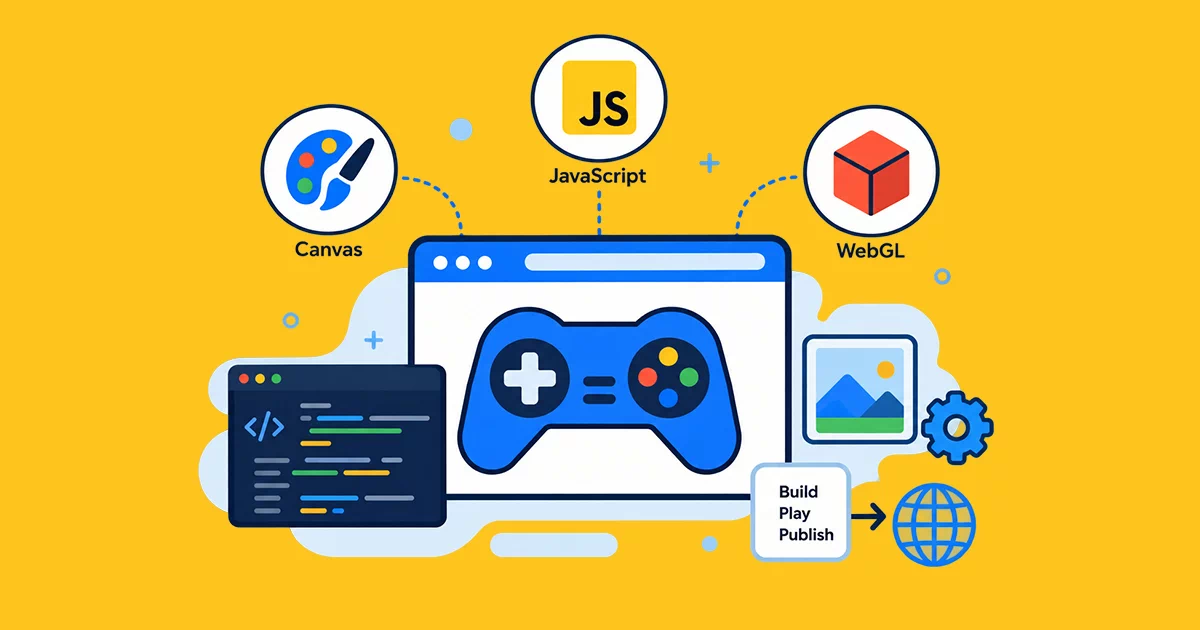
HTML5 game development uses the exact same core web stack you’re already using for websites. HTML handles the structure, JavaScript drives the logic, and the Canvas API or WebGL powers the graphics. You can make a perfect game with this combination that runs directly inside any browser tab. There’s no app store approval process, no download, and no platform gatekeeper deciding whether your game gets published. Someone clicks a link and they’re playing.
This is a one-size-fits-all approach. In contrast, building native game apps lets you use specific platform tools, get your apps approved the way the platform wants, and leave 20-30% of revenue to the app store. Once you’re done building your browser game, your game gets playable on all your desktop, mobile, and smart TVs, too. With a bit of smart optimization, you can make your game available through all these platforms without having to maintain multiple builds. This combination of cross-platform reach and WebGPU plus WebAssembly making browser games capable of rendering 3D graphics and physics on par with native mobileapps, is one of the main reasons browser gaming experienced a real resurgence rather than remaining a relic of the early-days Flash era.
Choosing the Right Game Engine for Your Project
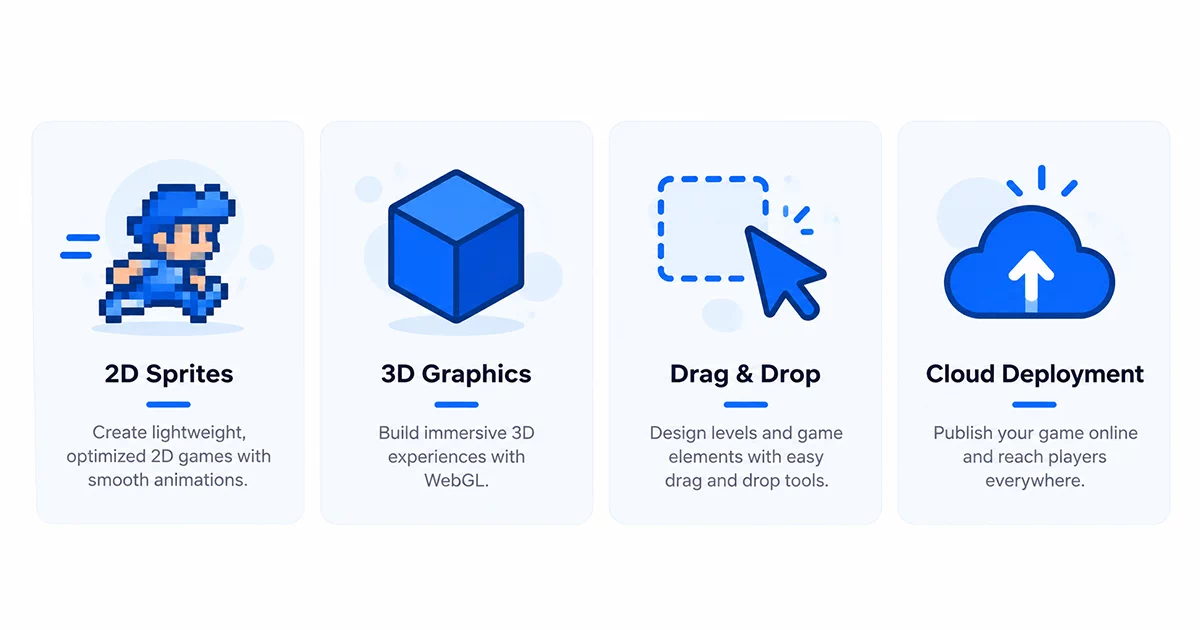
The game engine you finally decide on would set a foundation for every other feature in a game.
It largely depends on the kind of game you are going to develop and how confident you are with direct code writing.
Phaser.js is the game engine for most JavaScript game developers that I personally would recommend first. It’s the case because Phaser is indeed one of the most popular HTML5 game engines and for good reason too. It is a pure JavaScript, totally free, open source game development solution that also excels in rendering sprites, using tilemaps, and physics. On top of that, depending on what the browser allows, it can switch rendering from Canvas to WebGL or the other way around automatically.
Phaser’s steepness of the learning curve is quite reasonable if you already possess knowledge of JavaScript from building websites.
For 3D games in HTML, Babylon.js and Three.js are the two names that come up constantly. Both let you build real-time 3D experiences — product configurators, immersive worlds, physics-based games — that render directly in the browser using WebGL. Babylon.js tends to be favored for full 3D game projects specifically because of its built-in physics, animation, and asset-pipeline tooling, while Three.js is often chosen when you want more granular control over the rendering itself.
Construct deserves a mention specifically for anyone without a strong coding background. It’s a visual, drag-and-drop game engine that still exports genuine HTML5 games, making it a realistic starting point if writing JavaScript from scratch feels intimidating right now.
For more ambitious 3D projects at scale, Godot’s web export and PlayCanvas — a fully browser-based 3D engine — are both worth knowing about, particularly PlayCanvas, which runs its entire development environment in the cloud and is built specifically around browser-first 3D from the ground up.
The Full HTML5 Game Development Process — From Idea to Live Game
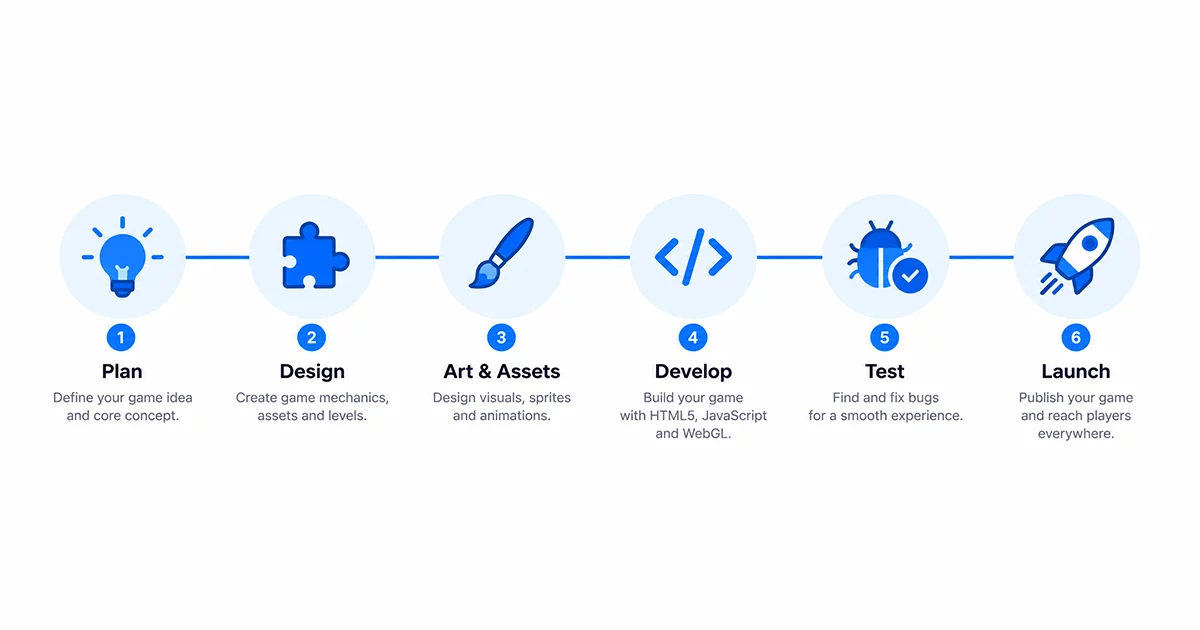
Building a real HTML5 game follows a fairly consistent pipeline regardless of which engine you choose, and skipping steps early tends to cost far more time later.
It starts with defining your concept clearly — the core mechanic, art style, target audience, and importantly, your monetization plan, decided before you write a single line of game logic. Trying to bolt monetization onto a finished game is much harder than designing around it from day one.
From there, you set up your workspace — installing your chosen engine, configuring a local development server, and setting up build tools to bundle your JavaScript for production. This is genuinely similar territory to setting up any modern web project, if you’ve done that before.
Core gameplay logic comes next: player controls, physics and collision handling, scoring systems, and game states — the actual HTML code and JavaScript that makes something playable rather than just visual. This is usually where a simple prototype starts feeling like a real game, even before any art is added.
Assets and audio follow — sprites, 3D models if you’re building in 3D, sound effects, and background music, all optimized for fast loading, since browser games live or die on how quickly they load. Then comes real testing, across different browsers and both desktop and mobile, checking touch controls specifically if mobile play matters for your audience — a control scheme that feels natural with a mouse often needs real rework for a touchscreen. Finally, deployment — packaging your build to meet the specific requirements of wherever you’re publishing it, since portals like CrazyGames enforce strict file size limits, and preparing whatever SDK integration your chosen platform requires for ads or in-app purchases to actually function.
How Developers Actually Earn Passive Income From HTML5 Games?
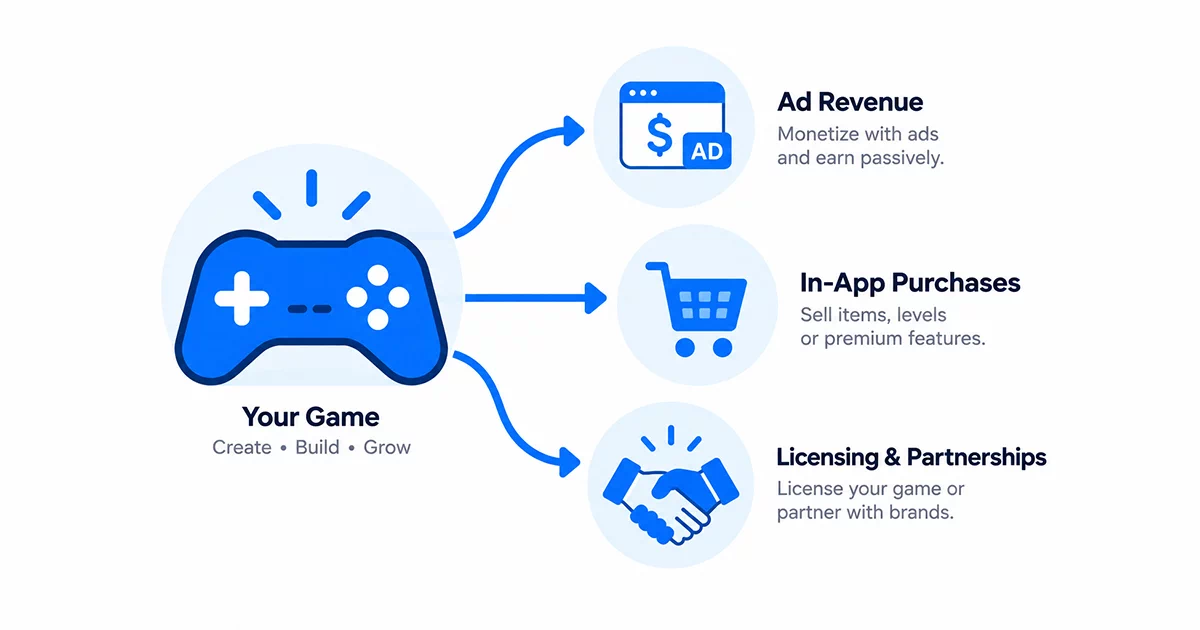
This is the part most beginner guides gloss over, and it’s worth being specific and honest about, since the earnings range genuinely varies from a few dollars a year to real full-time income for a small number of successful developers.
Ad revenue share on portals is the most common path for a first game. You publish your finished game for free on a portal like Poki or CrazyGames, integrate their SDK, and they handle selling and serving ads around your game — pre-roll videos, rewarded ads, banner placements. Developers typically keep somewhere between 50% and 80% of that ad revenue depending on the specific platform and where the traffic came from. This is genuinely passive once set up — the portal drives players and handles the ad infrastructure, and you collect a share of what your game generates going forward.
Flat-fee licensing works differently. Instead of an ongoing revenue share, you sell the rights to your finished game directly to a portal or publisher for a one-time payment. Non-exclusive licenses — meaning you can still sell the same game elsewhere — typically run somewhere between $300 and $800 per platform. Exclusive deals, where one buyer gets sole rights and the game leaves the open market, start around $5,000 and can reach well beyond that for a genuinely polished, well-tested game. This suits developers who’d rather get paid upfront than wait on ongoing ad performance.
Direct sales through itch.io put you in full control. Itch.io uses an open revenue model where you choose what percentage the platform keeps — anywhere from 0% to 100%, defaulting to 10% — on top of standard payment processing fees. It won’t compete with a major portal’s traffic on its own, but it’s genuinely useful for building an audience, testing pricing, and keeping full ownership of your game and its terms.
In-game purchases and sponsorships round out the realistic options — cosmetic items, extra levels, or a brand paying to have their product appear inside your game world, which has become increasingly common as browser games have grown more visually sophisticated. The honest reality check: most individual games earn modestly. Meaningful, genuinely passive income tends to come from either publishing multiple games over time so the small ad-revenue streams add up, or from one game genuinely breaking out in terms of player volume — which is far from guaranteed, but is exactly why treating this as a real, repeatable skill rather than a one-time bet matters.
Writing Your First Game Loop — A Simple HTML Code Structure
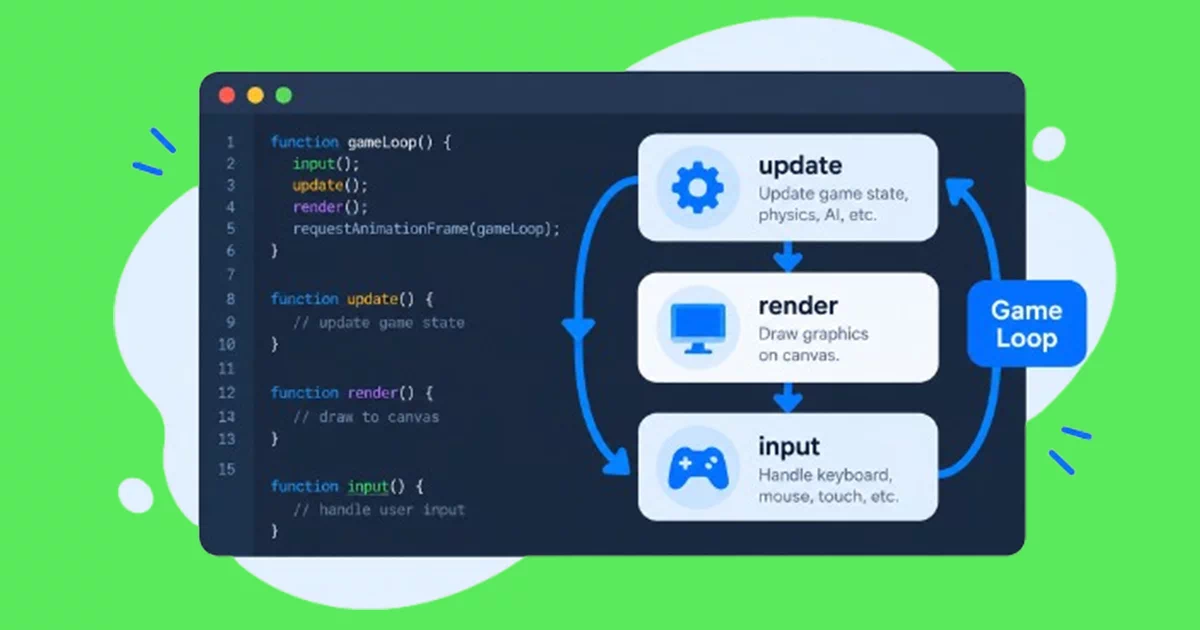
Every HTML5 game, regardless of engine, is built around the same underlying idea: a game loop. This is a function that runs continuously, many times per second, handling three things in order — reading player input, updating the game’s state based on that input and any physics or timers, and rendering the current state to the screen. Learning to think in terms of this loop is genuinely more important early on than memorizing any specific engine’s API, because every engine you’ll ever use is really just giving you tools to make that same loop easier to write.
If you’re comfortable with HTML and CSS already and know basic JavaScript, the actual code involved in a simple game — moving a sprite, detecting a collision, keeping score — is less intimidating than it initially looks. The learning curve is less about new syntax and more about a new way of structuring a program that keeps running continuously rather than responding once to a page load.
Final Thoughts — A Genuinely Learnable Skill With a Real Ceiling
HTML5 game development sits in a good spot for a web developer already comfortable with HTML, CSS, and JavaScript — the core skills transfer more directly than most people expect, and the path from “knows how to build websites” to “has a playable game live on a portal” is shorter than it looks from the outside. The passive income side is real but genuinely uneven — most individual games earn modestly, and the developers who do well tend to be the ones who keep shipping rather than betting everything on one release. If you’re starting from scratch with HTML and JavaScript before tackling game development specifically, building that foundation properly first — the same way I approach web development for client projects — makes everything that follows, games included, considerably easier to pick up.
Frequently Asked Questions — HTML5 Game Development
Do I need to know advanced JavaScript to start building HTML5 games?
No, a solid grasp of the fundamentals is enough to start — variables, functions, loops, and basic object handling. Game engines like Phaser handle most of the complex rendering and physics work for you, so you’re mostly writing logic specific to your game rather than low-level graphics code. If you can build interactive elements on a webpage with vanilla JavaScript, you have enough of a foundation to start a simple game.
Can I really earn passive income from a single HTML5 game?
It’s possible but realistically modest for most individual games — a few dollars to a few hundred dollars a year through ad revenue share is common for a casual game with decent but not exceptional traffic. Meaningful passive income more often comes from publishing several games over time, or occasionally from one game genuinely gaining strong, sustained player numbers, which isn’t something you can reliably predict or guarantee going in.
Should I use Phaser or a 3D engine like Babylon.js for my first game?
For a first project, Phaser and 2D is almost always the better starting point. 2D games are significantly faster to build, easier to debug, and let you learn the full development and publishing pipeline without also fighting the added complexity of 3D physics, lighting, and asset pipelines. Move to Babylon.js or Three.js once you’re comfortable with the full process and specifically want the kind of experience only 3D genuinely enables.
How long does it take to build a simple HTML5 game?
A simple, single-mechanic game — something like a basic runner or a matching puzzle — can realistically be built in one to three weeks by a beginner working part-time, once you’re past the initial engine learning curve. More complex games with multiple levels, varied mechanics, and real art and sound production reasonably take several months, similar to how a website’s timeline scales with its actual complexity.
Which platform is best for publishing my first HTML5 game?
Itch.io is the lowest-friction starting point since it has no approval gate and lets you get real player feedback quickly, even on an early or rough version. CrazyGames and Poki offer stronger ad revenue potential but typically expect a more polished, fast-loading game before acceptance. A common path is releasing and iterating on itch.io first, then submitting a refined version to the larger ad portals once it’s genuinely ready.