
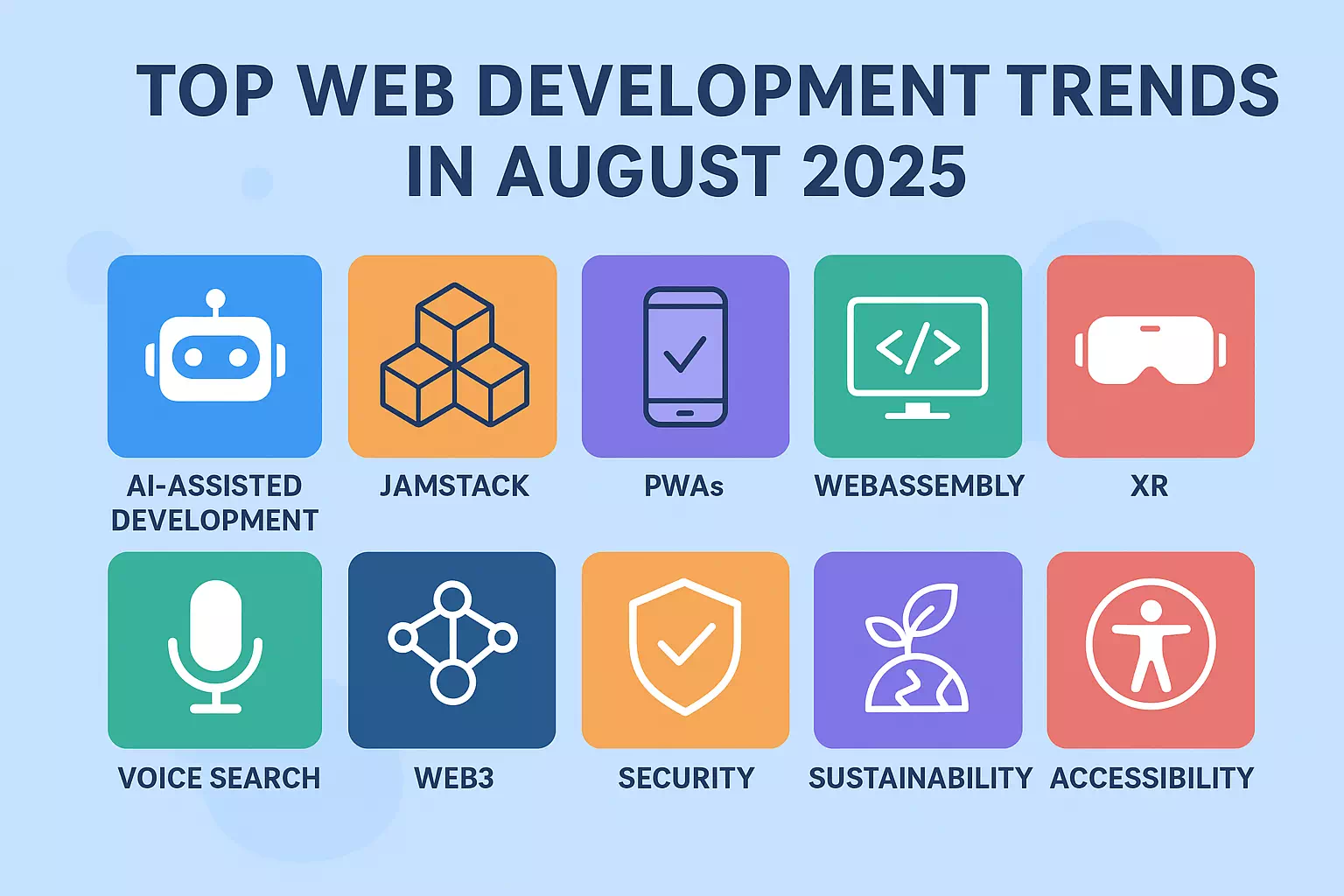
The biggest web development trends in 2026 are AI-assisted coding tools, WebAssembly for near-native browser performance, headless CMS architecture through the Jamstack approach, Progressive Web Apps, Core Web Vitals-driven performance work, and security built into development from day one rather than added afterward. Together these trends point toward websites that are faster, safer, and built with AI as a genuine collaborator rather than just a coding assistant.
Every year brings a fresh list of “trends” that mostly repeat the last one with new buzzwords. This isn’t that list. What follows is what I’m actually seeing show up in real projects — mine and other developers’ — not just what’s getting hyped on social media. If you build or maintain websites, whether on WordPress or a modern JavaScript stack, these are the shifts genuinely worth paying attention to in 2026.
AI-Assisted Development Has Moved Past Autocomplete
Tools like GitHub Copilot and AI-powered code assistants stopped being a novelty a while ago and became a genuine part of how a lot of development work gets done — suggesting functions, catching bugs before they ship, and even proposing how a feature should be structured. Teams using these tools consistently report real productivity gains, not just faster typing.
What’s newer is agentic AI — tools that can carry out a full task independently, like building a UI component or writing test coverage for a feature, with far less step-by-step direction than a code assistant needs. Alongside this, “vibe coding” — describing what you want in plain language and letting AI generate working code from that description — has moved from something hobbyists experiment with into actual production workflows at larger companies.
None of this replaces understanding what the code is actually doing. If anything, it raises the bar on architecture and review skills, since someone still has to catch it when an AI-generated solution technically works but creates a maintainability or security problem down the line.
WebAssembly and Edge Computing Are Closing the Performance Gap
WebAssembly lets languages like Rust, C++, and Go run directly in the browser at speeds close to native applications, which is opening up things in the browser that used to require a dedicated app — 3D modeling, complex data visualization, and real-time video processing among them.
Edge computing pairs naturally with this by running logic physically closer to the visitor rather than a single central server, cutting down the latency that used to be an unavoidable tax on global audiences. Platforms like Cloudflare Workers and Vercel Edge Functions have made this kind of setup accessible without needing to run your own distributed infrastructure. For most WordPress-based small business sites this is less directly relevant day to day, but it’s shaping what’s technically possible on the wider web, and it’s worth knowing about if a project ever needs performance beyond what traditional server hosting delivers.
Jamstack and Headless CMS Architecture Keep Maturing
Jamstack — building sites around JavaScript, APIs, and pre-built markup rather than a server generating every page on the fly — used to mean mostly static sites. That’s changed. Headless CMS platforms like Strapi, Contentful, and Sanity now separate content management entirely from how that content gets displayed, which lets the same content power a website, a mobile app, and other channels from one place.
The security angle is genuinely appealing too — since much of the site is pre-built rather than dynamically generated on every request, there’s simply less surface area for common attacks to exploit. With incremental static regeneration and serverless functions handling the dynamic pieces, Jamstack sites can now personalize content at scale without giving up the speed and security benefits that made the approach attractive in the first place.
Progressive Web Apps Are Closing the Gap With Native Apps
Progressive Web Apps combine what people actually like about mobile apps — offline access, push notifications, home screen installation — with the reach and lower friction of a regular website, without requiring anyone to go through an app store. Businesses adopting PWAs consistently report better engagement and lower bounce rates, and major brands have publicly shared meaningful conversion increases after switching.
Frameworks like React, Vue, and Angular now ship with PWA-ready templates, and Google’s Workbox library has made the caching and offline logic that used to be genuinely difficult far more approachable. With Core Web Vitals directly tied to search rankings, a well-built PWA ends up serving both the user experience goal and the SEO goal at the same time.
Core Web Vitals Keep Driving How Performance Work Gets Prioritized
Site speed stopped being just a nice-to-have a while back — it’s a confirmed ranking factor and a real driver of whether visitors stick around. In 2026, performance work centers on three specific metrics: how fast the main content becomes visible, how quickly the page responds when someone interacts with it, and how stable the layout stays while everything loads in.
Code splitting, lazy loading images and scripts that aren’t needed immediately, and preloading the resources that matter most are the practical techniques behind improving these numbers, with tools like Lighthouse and PageSpeed Insights making it straightforward to measure where a specific site is falling short. I’ve written more specifically about Core Web Vitals and why your WordPress website might be slow if you want the deeper, WordPress-focused breakdown of fixing this on an actual live site rather than the general theory.
Security-First Development Is No Longer Optional
Building security in from the start of a project, rather than patching it in afterward, has become standard practice rather than an advanced option — this approach is generally called DevSecOps. Automated scanning for known vulnerabilities, zero-trust network principles, regular dependency audits to catch supply-chain risks, and ongoing penetration testing are increasingly treated as routine parts of the development process rather than something reserved for large enterprise projects.
This connects directly to something I cover in more depth around WordPress security specifically — the same underlying principle applies whether you’re running a custom-built application or a WordPress site: security treated as an afterthought consistently costs far more, in time and trust, than security built in from the beginning.
Accessible and Sustainable Coding Practices Are Becoming Standard
Building lightweight, energy-conscious websites and building genuinely accessible ones increasingly overlap in practice, and in 2026 both have shifted from “nice to have” to expected — in a growing number of regions, legally expected. On the technical side, this means properly optimized images and video, clean semantic code that doesn’t waste resources, and following the WCAG 2.2 accessibility guidelines as a baseline rather than an afterthought — proper alt text, sufficient color contrast, and full keyboard navigation support.
With accessibility regulation tightening in multiple markets, this has moved from an ethical preference to a genuine business and legal requirement, and it happens to align well with the same on-page SEO checklist fundamentals that already reward clean, well-structured code.
Final Thoughts — These Trends Don’t Exist in Isolation
What’s worth noticing across all of this is how connected these trends actually are. AI tools are increasingly used to catch performance problems before launch. Edge computing makes Progressive Web Apps and Jamstack sites feel faster globally. Accessible code and sustainable code overlap with the same Core Web Vitals work that search engines are already rewarding.
For most small business websites, the practical takeaway isn’t chasing every trend on this list — it’s building on a foundation that can adopt the ones that genuinely matter as the project grows. That’s exactly the kind of thinking I build into the affordable web design services I offer: a WordPress foundation that’s fast, secure, and structured well enough that adopting these practices later doesn’t mean starting over.
Frequently Asked Questions — Web Development Trends 2026
Do I need to learn all of these trends to stay relevant as a developer?
No, and trying to would spread you too thin to get genuinely good at any of them. The more practical approach is picking one or two that are directly relevant to the kind of projects you actually work on — if you build on WordPress, Core Web Vitals and security-first practices matter far more day to day than WebAssembly or edge computing. Depth in what’s relevant to your work beats shallow familiarity with everything on this list.
Is AI-assisted coding actually reliable enough to use in real projects?
It’s reliable enough to meaningfully speed up routine work — writing boilerplate, suggesting fixes, generating test cases — but it still needs a developer reviewing the output rather than shipping it blind. The productivity gains are real, but so is the risk of AI-generated code that technically works while quietly introducing a maintainability or security issue that only shows up later. Treat it as a fast first draft, not a final answer.
Does my small business website need WebAssembly or edge computing?
For most small business and WordPress websites, no — these technologies solve problems around heavy computation or global-scale latency that a typical brochure site, blog, or online store simply doesn’t have. They’re genuinely useful to know about, but a small business site almost always gets more value from solid hosting, good caching, and clean code than from adopting infrastructure built for very different scale problems.
What’s the practical difference between a regular website and a Progressive Web App?
A Progressive Web App adds capabilities on top of a normal website — working offline, sending push notifications, and being installable on a phone’s home screen — without requiring a separate app store listing. A regular website doesn’t have these capabilities by default. Whether the added complexity is worth it depends on how often your visitors would realistically use those specific features; for many small business sites, a fast, well-built regular website covers the actual need without the extra development overhead.
How do Core Web Vitals actually affect my Google rankings?
Google has confirmed that page experience metrics, including loading speed, interaction responsiveness, and visual stability, factor into ranking, particularly when competing pages are otherwise similar in content quality. A technically excellent page that loads slowly can still be outranked by a decent page that loads fast. It’s rarely the single deciding factor on its own, but it’s consistently one of the more controllable ones, which makes it worth prioritizing.
What does “security-first development” actually mean in practice?
It means building security checks into the development process itself rather than testing for vulnerabilities only after a project is finished. In practice, this looks like scanning code for known issues automatically as it’s written, auditing third-party dependencies regularly, and testing for weaknesses continuously rather than once before launch. The core idea is catching problems while they’re cheap to fix, instead of after a site is live and a breach has already happened.
Is web accessibility really a legal requirement now?
In a growing number of regions, yes, particularly for businesses serving customers in the EU under the European Accessibility Act, and increasingly under various regional regulations elsewhere. Beyond the legal angle, accessible code — proper contrast, alt text, keyboard navigation — tends to overlap directly with clean, well- structured code that also performs better for SEO, so it’s worth treating as standard practice regardless of which specific regulations apply to your business.
How often do web development trends actually change enough to matter?
Meaningfully, roughly once every year or two — most of what gets labeled a “trend” is really a maturing of something that was already emerging. What changes faster is tooling and specific implementation details. The underlying priorities — performance, security, accessibility, and now AI-assisted workflows — have stayed consistent for a while and are likely to keep mattering well beyond any single year’s trend list, including this one.