
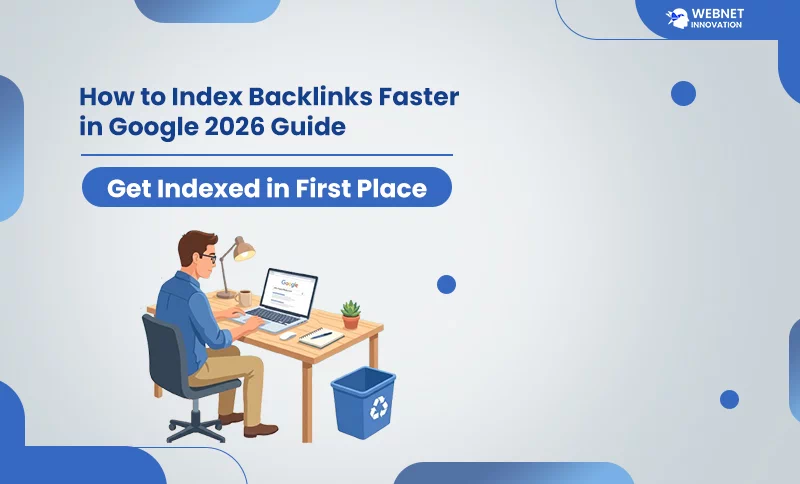
To index backlinks faster in Google, first confirm the linking page isn’t already indexed by pasting its exact URL into Google search. If it’s missing, use Search Console’s URL Inspection tool to request indexing directly, get the page linked internally from other pages on that site, and share it on social platforms Google crawls frequently. Backlinks only pass value once Google has actually crawled and indexed the page hosting them — not before.
I had a client message me a few months back, understandably frustrated. He’d paid for a batch of guest post backlinks, waited six weeks, and his rankings hadn’t moved an inch. When I checked his link list against Google, I found the actual problem in about ten minutes: more than half of those backlinks were sitting on pages Google had never even visited.
Table of Contents
This isn’t rare. Industry data suggests that somewhere between 30% and 60% of newly built backlinks never make it into Google’s index at all. When that happens, the backlink isn’t underperforming — it is doing absolutely nothing. No authority passed, no ranking benefit, no return on whatever time or money went into building it. If you’ve built links and your rankings haven’t budged, this is very likely where to look first.
Why Don’t Backlinks Get Indexed in the First Place?

A backlink only passes value once Google has crawled and stored the page it lives on. That single requirement is where most link-building campaigns quietly fall apart, because building the link is only half the job — the other half depends entirely on whether Google considers that page worth visiting and keeping.
The single biggest factor is the linking page’s own authority. Every website gets a “crawl budget” from Google — a limit on how often and how deeply Googlebot bothers to explore it. A well-established site with strong traffic gets crawled daily. You wouldn’t believe it, Google bots crawl smaller websites once a month. If your backlinks are on a low-authority website, it could take weeks, months, or indefinitely to be crawled because this process executes in a queue.
A second common cause is what’s called an orphan page — a page that exists on a website but isn’t linked to from anywhere else on that same site. Googlebot mostly discovers new pages by following links. If nothing on the site points to the page hosting your backlink, there’s no path for the crawler to find it naturally, no matter how good the content is.
Thin or duplicate-feeling content plays a role too. Google works with strict guidelines, so it gives high priority to those websites where content changes after a few hours and has a high demand for content. When a page’s content looks like a copy of something Google has already seen a hundred times, it often gets deprioritized rather than indexed.
How to Check If a Backlink Is Actually Indexed?
Before assuming anything is broken, confirm what’s actually happening — and this step trips up more people than it should.
If you blindly trust third-party SEO tools like Ahrefs or Semrush, the truth is that they don’t have a reliable way to accurately check this. These tools work completely differently from Google’s crawler. A link can show up in Ahrefs and still be missing from Google entirely, and the reverse happens too.
The site: search operator isn’t fully reliable either — it shows a partial view of what’s indexed, not a complete picture, particularly for lower-authority pages.
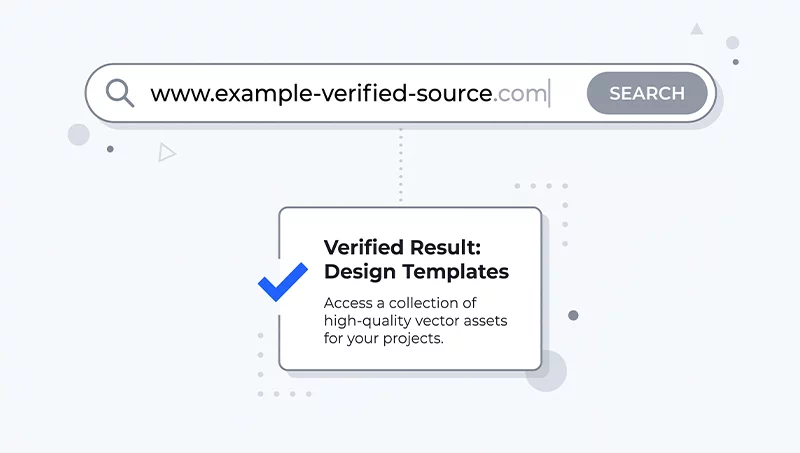
The method that actually works: copy the exact URL of the page hosting your backlink and paste the full URL directly into Google’s search bar, not as a site: search, just the raw URL. When Google has indexed a page URL, you are check for indexing so it shows the exact page in the search results. If Google does not display the exact URL that you hit in the search box, it means Google has not indexed it yet, and you have to wait for the index.
Free Ways to Speed Up Backlink Indexing
If you have Search Console access for the site hosting the link — your own guest post on a site you manage, for example — the URL Inspection tool is the most direct method available. Enter the exact URL of the page, and if it isn’t indexed, use Request Indexing. This sends a crawl signal that typically triggers a visit within a day or two, though it’s a nudge rather than a guarantee.
Most of the time, though, your backlink sits on someone else’s domain, and you won’t have that kind of direct access. In that situation, a few things genuinely help. Ask the site owner or editor whether the page can be linked from their homepage or another high-traffic page on their site — internal links from an already well-crawled page are one of the strongest signals you can create without any technical access at all.
Sharing the linking page’s URL on social platforms Google crawls frequently — LinkedIn, X, even Pinterest — can help too. These platforms get revisited constantly by Google’s crawlers, and a URL appearing there sometimes gets discovered faster as a side effect. The same logic applies to dropping the link in a YouTube video description if you have a channel; YouTube pages are crawled quickly since it’s a Google property.
One habit worth building either way: treat every new backlink the way you’d treat a new page on your own site. Check whether it’s indexed roughly two weeks after it goes live. If it hasn’t shown up by then, it’s unlikely to happen entirely on its own, and it’s worth actively pushing rather than continuing to wait.
Backlink Indexing Checklist
- Confirm the linking page’s actual index status by pasting its full URL directly into Google search
- Prioritize backlinks on domains with real authority and active traffic — low-quality sites rarely get indexed reliably
- Use Search Console’s URL Inspection and Request Indexing for any site you have direct access to
- Ask for the linking page to be internally linked from a high-traffic page on that same domain
- Share the linking page on social platforms Google crawls frequently
- Give it roughly two weeks, then check again and act if it’s still missing
Final Thoughts — Indexing Is Not Optional Homework
Building a backlink and never checking whether it actually got indexed is a bit like sending a letter and assuming it arrived without ever checking the mailbox. It’s an easy step to skip, and it’s exactly why so much link-building effort quietly produces nothing.
I’ve started treating backlink indexing as a standard part of the process rather than an afterthought — check status around two weeks after a link goes live, and actively push anything still missing instead of hoping it resolves on its own. It takes a few extra minutes per link and consistently saves the frustration of wondering, months later, why a link-building push never showed up in rankings.
If you’re working through this alongside broader SEO — cleaning up how Google decides which page deserves to rank for your site, or tightening up your on-page SEO checklist — indexed backlinks are one more piece of that same puzzle: signals only count once Google has actually seen and processed them. I build this kind of ongoing SEO thinking into the affordable web design services I offer, because a fast, well-structured website makes every one of these smaller signals work harder than they would otherwise.
How long does it normally take for a backlink to get indexed?
For pages on well-established, frequently crawled domains, indexing can happen within a few days. For newer or lower-authority sites, it can take several weeks, and in some cases it never happens at all if the underlying page has weak signals. If two weeks have passed with no movement, that’s a reasonable point to stop waiting passively and start actively pushing the page through the methods above.
Does using an indexing service or tool actually work?
These tools generally work by sending crawl signals and pings toward the linking page’s URL, which can genuinely help pages that are simply low on Google’s crawl priority. What they cannot fix is a page blocked by a noindex tag, blocked in robots.txt, or one Google has deliberately decided isn’t worth indexing due to thin or duplicate content. Using one of these tools on a genuinely low-quality link rarely helps and can occasionally draw unwanted attention to a spammy link profile.
Should I stop building backlinks on smaller or newer websites?
Not entirely, but it’s worth weighting your effort toward sites with real authority and active traffic, since those get crawled far more reliably. A backlink on a smaller, genuinely active niche site with real readers can still index and perform well — the actual risk comes from very low-authority, thin-content, or clearly templated guest post pages, which are the ones most likely to sit unindexed indefinitely.
Can too many unindexed backlinks hurt my SEO?
Unindexed backlinks themselves don’t directly harm your site — they simply provide zero benefit, similar to links that were never built. The real risk shows up if the broader link profile looks unnatural or spammy in a way that draws algorithmic attention, which is a separate issue from indexing speed. Focusing on fewer, higher-quality backlinks generally avoids this concern altogether.