
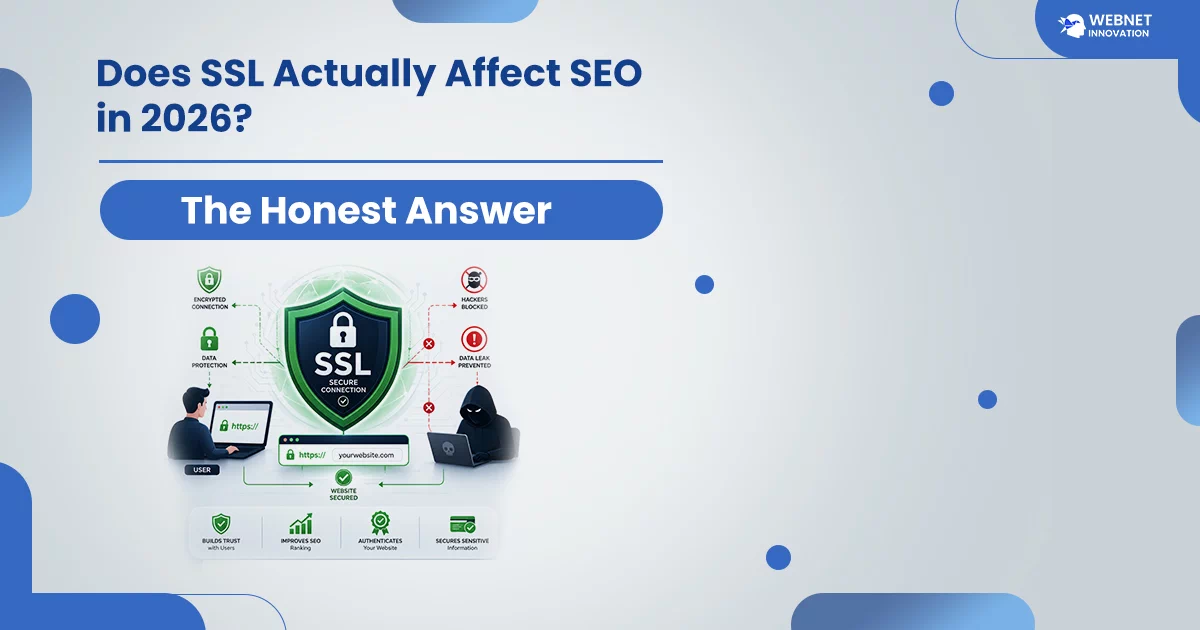
Yes, SSL and HTTPS are a confirmed Google ranking signal, but it’s a lightweight one — Google itself has described it as closer to a tie-breaker than a major ranking driver. The bigger impact is indirect: HTTPS builds visitor trust, avoids browser security warnings that push people away, and enables faster HTTP/2 and HTTP/3 protocols that directly support Core Web Vitals. Skipping it in 2026 costs you more than it would have five years ago.
Table of Contents
I still get this question from clients fairly often, usually phrased some version of “does SSL actually matter, or is it just something developers add to justify a bigger invoice?” It’s a fair question, and the honest answer is more nuanced than either “yes, it’s essential” or “no, it doesn’t matter” — both of which I’ve seen written confidently online, which is part of why people stay confused about it.
I want to walk through what SSL and HTTPS genuinely do for your SEO in 2026, separate that from the marketing language that oversells it, and cover what actually goes wrong when it’s set up carelessly — because in my experience, a badly implemented HTTPS migration causes more SEO damage than simply not having SSL at all.
What SSL and HTTPS Actually Are, in Plain Language?
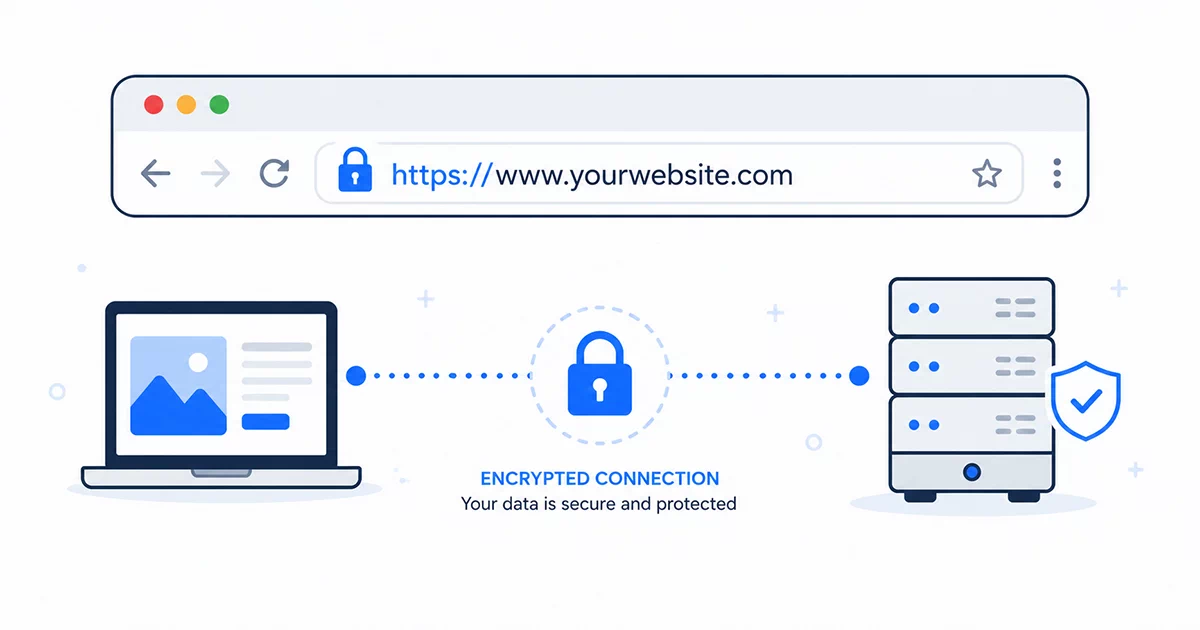
SSL, technically now called TLS though the older name has stuck around in everyday use, is what encrypts the connection between a visitor’s browser and your website’s server. HTTPS is simply what you get once that encryption is in place — the “S” standing for secure. In the absence of HTTPS, when data is transferred between a user and your website—including form submissions, login details, or payment information—a hacker who intercepts the connection along the way could read that data.
An SSL certificate is what enables this. It’s issued by a Certificate Authority, which verifies your website’s identity to the browser. It also unlocks that little ‘padlock’ next to the web address that every visitor wants to see these days. Without it, modern browsers actively flag a site as “Not Secure,” which is a very different experience from simply lacking a nice-to-have feature.
Is HTTPS a Google Ranking Factor — What Google Has Actually Said?
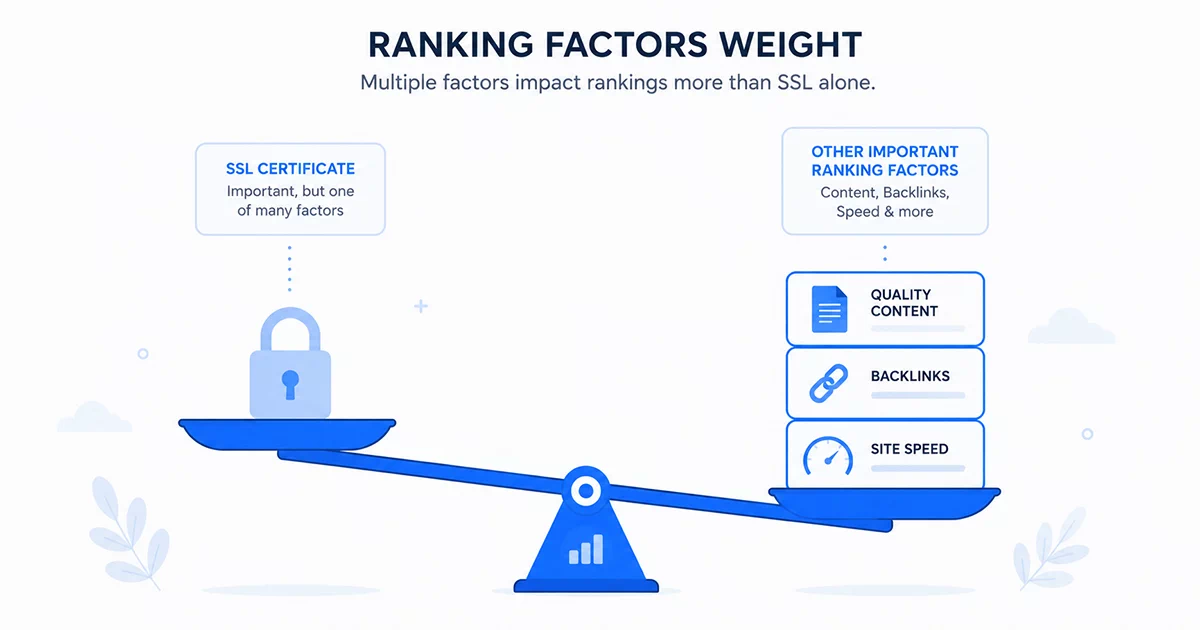
Google confirmed HTTPS as a ranking signal back in 2014, and that confirmation still holds in 2026 — but the honest context matters more than the confirmation itself. Google has consistently described it as a lightweight signal, something closer to a tie-breaker between otherwise similar pages than a factor capable of pushing a weaker page above a stronger one on its own.
What’s changed since 2014 isn’t the strength of the direct signal — it’s how much the absence of HTTPS now costs you in every other way. Around 93.7% of the world’s most visited websites use HTTPS by default today, which means a site without it doesn’t just miss a minor ranking boost — it stands out as an outlier in a way that looks dated or careless to both visitors and, indirectly, to how Google’s broader trust and quality systems evaluate a domain.
The more meaningful 2026 argument for HTTPS isn’t really about the direct ranking point anymore. It’s about everything HTTPS unlocks around it — and that’s where the real SEO impact actually lives.
The Indirect SEO Impact Is Bigger Than the Direct One
The direct ranking signal from HTTPS is small enough that treating it as your main reason to implement SSL misses the bigger picture entirely. The indirect effects are where this genuinely earns its place on a website checklist.
Modern faster web protocols — HTTP/2 and HTTP/3 — require HTTPS to function at all. These protocols help improve your website’s page loading speed, which directly improves your Core Web Vitals, especially the Largest Contentful Paint metric. A site stuck on older HTTP/1.1 because it never implemented SSL is structurally slower than the same exact site running over HTTPS, independent of anything else about how well-built it is. If you’ve read my guide on Core Web Vitals and why your WordPress website might be slow, you’ll recognize this as one more lever in the same speed conversation — not a separate issue.
Trust signals matter just as much, and they’re easier to see directly. A 2020 GlobalSign survey found that roughly 84% of users would abandon a purchase if a website lacked an SSL certificate, and that expectation has only hardened since — browsers now display an explicit “Not Secure” warning on any page collecting information over plain HTTP, which is about as direct a trust signal as it gets. A visitor who bounces immediately after seeing that warning isn’t generating the positive engagement signals — time on page, low bounce rate — that support rankings in the first place.
How to Set Up SSL on a WordPress Website?
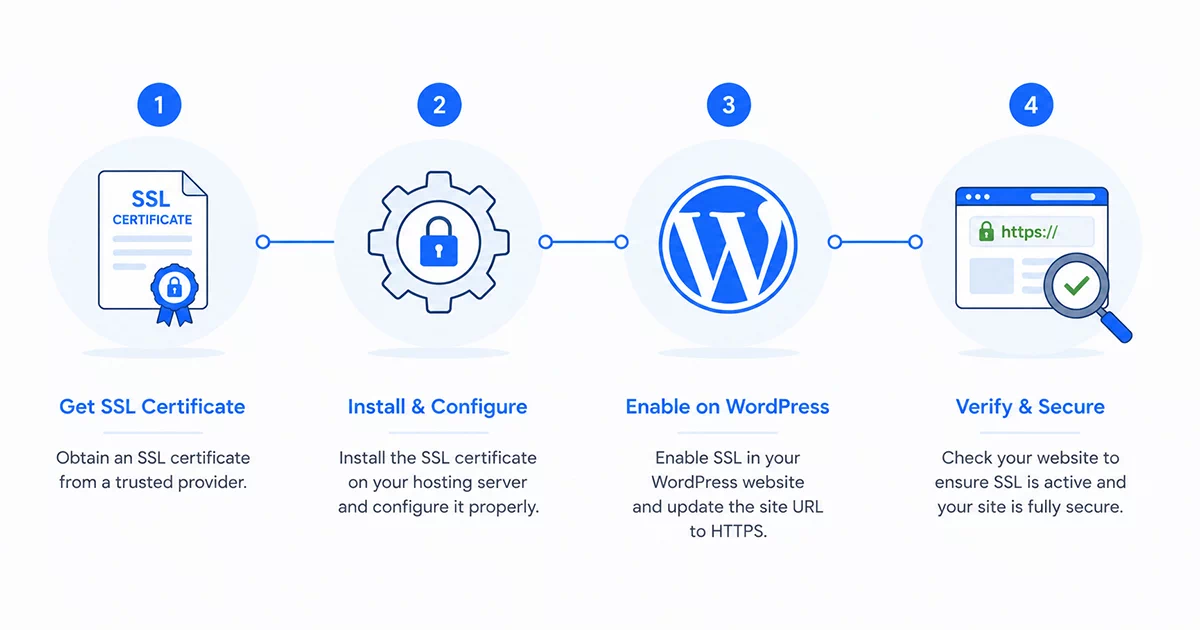
Getting SSL running on a WordPress site is far less complicated than it used to be, and for most small business sites, it doesn’t require paying anything extra.
Most hosting providers now include a free SSL certificate, typically through Let’s Encrypt, and either activate it automatically or offer a one-click activation from the hosting dashboard. If yours doesn’t, Let’s Encrypt is free, widely trusted, and functionally identical for SEO purposes to a paid certificate — more on that distinction shortly.
Once the certificate is active at the hosting level, WordPress itself needs to be told to use HTTPS. This means updating the WordPress Address and Site Address under Settings, and — this is the step most often skipped — running a proper search-and-replace across your database to update any internal links, image references, and embedded URLs still pointing to the old http:// version. Ask your developer to add the Really Simple SSL plugin to your WordPress website that automates much of this and can handle it directly through the database for a cleaner result on larger sites.
Setup 301 redirect from every HTTP version of your URLs to their HTTPS equivalent. This is the step that protects your existing SEO rather than accidentally resetting it — without proper redirects, Google effectively sees your HTTP and HTTPS pages as two separate versions of your site, which creates exactly the kind of duplicate content confusion that quietly damages rankings.
Common HTTPS Mistakes That Hurt SEO
This is genuinely where most of the real damage happens — not from lacking SSL, but from implementing it carelessly.
Mixed content issues are the most irritating we see. This problem comes when a page loads securely over HTTPS but still pulls in an image, script, or stylesheet from an old http:// link left somewhere in the code. Browsers will either block these types of URLs or show “Not Secure” warning which completely wastes the money you spent on your SSL certificate. This kind of oversight sits right alongside the broader picture I’ve covered in signs your WordPress website has been hacked — a site that looks secure on the surface but has small technical gaps underneath. Fixing mixed content means auditing the site for any remaining http:// references and updating them — tedious, but usually a one-time cleanup rather than an ongoing task.
Missing or incorrect redirects are another hurdle for the user’s visit to your website. If your HTTP pages skip redirection to their HTTPS versions, Google can end up crawling and indexing both, splitting ranking signals across duplicate versions of the same page.
When you migrate a website and ignore updating the sitemap XML and internal links. It is a small mistake, but it can cause major SEO problems down the line. When you’re running your site with HTTPS only, it’s not a good idea to publish a sitemap containing HTTP links only because, in that case, you’re giving Google two different opinions on the correct address of your site so it takes Google longer time to accept the new address.
Free vs Paid SSL Certificates — Does It Matter for SEO
For SEO purposes specifically, no — Google treats a free Let’s Encrypt certificate identically to a paid certificate from a provider like DigiCert or Comodo. Both provide the same level of encryption, and both unlock the same ranking signal and browser padlock. Paid certificates sometimes come with extended validation features, warranties, or organizational verification that display slightly differently in the browser, which can matter for certain financial or enterprise use cases, but none of that translates into a stronger ranking signal.
For the overwhelming majority of small business websites, a free SSL certificate through your hosting provider is genuinely sufficient, and spending extra specifically hoping for an SEO advantage from a paid certificate is money that would do more for your rankings spent elsewhere — on content, page speed, or the kind of security gaps covered in best WordPress plugins to protect your website.
Final Thoughts — Small Signal, Real Consequences
If you’re looking for a dramatic SEO win, SSL alone isn’t it — and I’d rather tell you that honestly than let you believe otherwise. In the last, we can’t treat it as optional in 2026 misunderstands what’s actually at stake. It’s less about the ranking point Google gives you directly and more about avoiding the visitor trust damage, the speed penalty, and the technical confusion that comes from either skipping it or implementing it carelessly.
This is the kind of foundational technical work I build into every project rather than treating as an afterthought — the same thinking behind choosing solid WordPress hosting for small business in India or getting security plugins configured properly from day one. None of these individually feels dramatic, but together they’re the difference between a website that quietly works in your favor and one that’s silently working against you. If you’re setting up a new site or auditing an existing one, this belongs on the same checklist as everything else I cover as part of the affordable web design services I offer — foundational, not optional.
Frequently Asked Questions — SSL and HTTPS SEO
Will adding SSL to my website suddenly boost my Google rankings?
Not dramatically, and it’s important to set that expectation correctly. If your site is already ranking reasonably well without HTTPS, adding it won’t produce a sudden jump — the direct ranking signal is too lightweight for that on its own. What it does protect against is the slower, harder-to-notice cost of visitors bouncing from security warnings and the structural speed disadvantage of being stuck on an older, slower HTTP connection.
Can not having SSL get my website penalized or removed from Google?
No, lacking HTTPS doesn’t trigger a manual penalty or removal from search results. The consequence is more indirect — browsers display security warnings that discourage visitors, and you miss out on the small direct ranking signal along with the larger indirect benefits around speed and trust. It’s a competitive disadvantage rather than a punishment.
How long does an SSL migration typically take for a small business website?
For a straightforward small business WordPress site with a knowledgeable person handling it, the technical migration itself often takes just a few hours — activating the certificate, updating WordPress settings, running the search-and-replace, and setting up redirects. The part that takes longer is the mixed content cleanup and confirming every page renders correctly afterward, which can stretch to a day or two depending on how large and how old the site is.
Do I need to tell Google Search Console after switching to HTTPS?
Yes, this step gets missed surprisingly often. HTTPS and HTTP versions of your site are treated as separate properties in Search Console, so you’ll want to add and verify the HTTPS version if it isn’t already there, and ideally set it as your preferred domain. This helps Google understand which version to prioritize and gives you accurate performance data going forward rather than data split across two properties.
Is SSL still worth it if my website doesn’t collect any payment or personal information?
Yes. Even a simple informational or portfolio website benefits from the trust signal and the browser no longer flagging it as insecure — that “Not Secure” warning applies to any HTTP page in modern browsers, not just ones handling sensitive data. Combined with the Core Web Vitals speed benefit from enabling faster HTTP/2 and HTTP/3 protocols, there’s very little reason for any website in 2026 to skip it.