
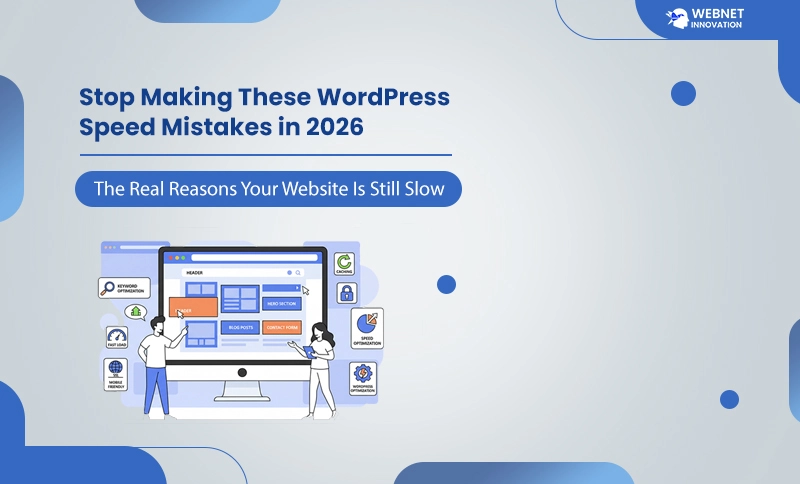
Website speed has become one of the most essential ranking factors in 2026. Google’s algorithm updates now focus heavily on Core Web Vitals, mobile performance, real user metrics, and interactive experience. If your WordPress website is slow, your rankings will continue to drop — even if your content is excellent.
Many site owners still don’t realize that small performance issues can create massive slowdowns, hurting SEO, conversions, and user engagement. Before you think your hosting is the problem or PageSpeed Insights is “bugged,” understand this:
Table of Contents
Most WordPress sites are slow because of common, avoidable mistakes.
This detailed guide explains every mistake, why it hurts your website, and the best way to optimize WordPress speed in 2026 — using updated Core Web Vitals (LCP, INP, CLS), modern image formats, caching, CDN, and new WordPress trends.
Let’s fix your slow website once and for all.
1. Using Heavy Themes and Page Builders
Most website owners are still using multipurpose themes like Jupiter, Avada or The7 and customizing their designs with Elementor, Divi or WPBakery. While these tools make designing easy, they also generate large HTML structures, huge CSS files, multiple script calls and oversized DOM structures. This combination is one of the main reasons your website’s loading speed test results show poor scores.
Why Heavy Themes Slow Down Your Site in 2026
- Generates massive DOM size
- Adds heavy animations and visual effects
- Loads unused CSS/JS even on simple pages
- Affects the new INP (Interaction to Next Paint)
- Causes delayed rendering on mobile
Google now measures how fast your page responds to interactions. Heavy builders create higher INP scores, hurting SEO.
How to Fix It ?
- Switch to lightweight themes (Astra, Blocksy, GeneratePress)
- Use Gutenberg (WordPress default builder) for cleaner code
- Disable unused modules in Elementor/Divi
- Remove unnecessary sliders, animations, and popups
- Minify page builder CSS and JS
If you want to make a WordPress site faster, starting with the theme and builder is the most impactful decision.
2. Skipping Proper Caching — The Biggest Performance Killer
Even in 2026, many WordPress sites still run without proper caching. It reduces load on the server and improves overall WordPress speed optimization.
What Happens Without Caching?
- The server rebuilds every page on every visit
- High Time To First Byte (TTFB)
- Slow PageSpeed Insights score
- Delayed LCP and FCP
- Heavier load on the database
Best Caching Options in 2026
- LiteSpeed Cache (BEST OVERALL)
- FlyingPress (premium)
- WP Rocket (premium)
- Cloudflare APO (for CDN caching)
Caching Features You MUST Enable
- Page Cache
- Browser Cache
- Object Cache
- GZIP/Brotli compression
- Minify CSS and JS
- HTML Optimization
Caching alone can improve your WordPress speed and performance by up to 70% instantly.
3. Uploading Unoptimized Images — The Biggest LCP Problem in 2026
Image optimization remains a must for anyone who wants to improve website performance.
High-resolution images from phones or cameras can be 2MB–6MB each, which is extreme for web use. These huge images directly cause slow Largest Contentful Paint (LCP).
Why Unoptimized Images Hurt SEO Ranking?
- Delays the hero section
- Increases page load time
- Consumes more data on mobile
- Causes a layout shift
- Slows down INP due to heavy asset loading
How to Fix Image Issues?
- Convert all images to WebP or AVIF
- Compress images below 150KB
- Add width/height attributes to avoid CLS
- Lazy-load below-the-fold images
- Preload your hero image using:
<img src=”hero.webp” fetchpriority=”high”>
This is one of the best ways to optimize WordPress site speed instantly — no coding required.
4.Not Using a CDN (Mandatory in 2026)
A CDN (Content Delivery Network) stores your website files across global servers. When a user visits your site, files load from the nearest server — increasing speed dramatically.
Why CDN Is Essential in 2026?
- Reduces TTFB by serving from the closest nodes
- Improves mobile loading
- Reduces hosting strain
- Delivers cached content instantly
- Boosts LCP score
Best CDNs in 2026
- Cloudflare CDN (free & powerful)
- QUIC.cloud (best for LiteSpeed hosting)
- BunnyCDN (fast for images and videos)
A CDN is now a core requirement for fast websites.
5. Using Too Many Plugins (Still a Big 2026 Mistake)
Many WordPress users install 20–50 plugins without realizing that each plugin adds scripts, styles, and queries.
Problems Caused by Too Many Plugins
- More JavaScript to execute
- More CSS to load
- Higher database usage
- Plugin conflicts
- Slower admin dashboard
How to Fix Plugin Overload?
- Keep only essential plugins
- Remove plugins with duplicate functionality
- Replace heavy plugins with lightweight ones
- Use built-in theme or WordPress features where possible
A clean WordPress installation is key to faster performance.
6. Not Optimizing JavaScript and CSS (Major Render-Blocking Issue)
Render-blocking resources delay the time it takes to show content. Both JavaScript and CSS can block rendering if not optimized.
Why This Hurts WordPress Website Speed?
- Increases FCP (First Contentful Paint)
- Delays LCP
- Causes high INP due to script execution
- Slow initial rendering
How to Optimize JS and CSS?
- Add defer to JavaScript
- Inline critical CSS
- Remove unused styles
- Combine small CSS files
- Minify everything
This is essential for how to increase website speed WordPress.
7. Ignoring Database Optimization
Your WordPress database grows over time. Without optimization, it becomes slow and harms performance.
Why Database Become Slow?
- Too many post revisions
- Spam comments
- Plugin leftovers
- Expired transients
- Log files
How to Optimize WordPress Database?
- Use WP-Optimize
- Clean up revisions weekly
- Remove trash & spam
- Optimize tables
- Disable revision limits
This reduces TTFB and improves performance significantly.
8. Choosing Cheap or Slow Hosting (Still a 2026 Problem)
Hosting is the foundation of website speed. Most speed issues come from poor hosting.
Signs Your Hosting Is Slow
- High TTFB
- Slow dashboard
- Random downtime
- Poor mobile speed
- Constant caching issues
Best Hosting for Speed (2026)
- LiteSpeed hosting (fastest technology)
- Cloud VPS
- Managed WordPress hosting
If you’re serious about performance, upgrade your hosting — it makes an immediate difference.

9. Not Preloading Critical Assets (A Common 2026 Mistake)
Preloading ensures important resources load early.
Essential Files to Preload
- Your LCP image
- Main CSS
- Main font
- Icons (if used above the fold)
Benefits
- Faster LCP
- Better visual stability
- Smooth first paint
Just preloading the hero image improves WordPress speed instantly.
10. Not Testing Website Speed Regularly
Speed optimization is not a one-time task. You must run tests regularly because plugins, themes, and updates can slow your site.
Tools You Should Use in 2026
- PageSpeed Insights
- GTmetrix
- Chrome DevTools
- WebPageTest
- Cloudflare Observatory
Regular speed testing ensures your site stays fast and ranking strong.
11. Not Using Modern Image Formats (2026 Update)
WebP and AVIF are now Google’s recommended formats. Uploading JPEG/PNG is outdated.
Why Modern Formats Matter
- Up to 60% smaller
- Faster decoding
- Higher quality
- Better LCP
Convert all old images — it’s worth it.
12. Ignoring INP (Interaction to Next Paint) — The New Core Web Vital
INP replaced FID in 2024, and in 2026 it’s now a strong ranking factor.
What Causes Poor INP?
- Heavy JavaScript
- Too many animations
- Popups and ads
- Slow main thread
How to Improve INP?
- Reduce JS execution
- Remove unnecessary animations
- Limit popup usage
- Use lightweight plugins
INP is critical for user experience.
13. Not Optimizing Fonts Properly
Fonts often block rendering.
How to Fix Font Issues?
- Preload main font
- Use font-display: swap
- Host fonts locally
- Remove unused font weights
Fast font loading = improved FCP and LCP.
Fix These Mistakes to Make Your WordPress Site Faster in 2026
WordPress speed optimization in 2026 requires a combination of modern techniques, fast hosting, optimized images, CDN, caching, lightweight themes and clean code. If your website is still slow you’re probably making one of the mistakes listed above. Fix these issues and your website will instantly become:
- Faster
- Better performing
- Higher ranking
- More user-friendly
- Better converting
If you don’t have time or don’t want to break your site by experimenting, consider hiring a WordPress speed optimization service to professionally optimize your performance